Command center

SecOwl — Unified Cyber Security Command Center

The central command layer for approved telemetry, risk posture, evidence visibility, adapter health and governed action across the Cybstyx ecosystem. The product is positioned as a client-controlled security engine with professional deployment, audit and integration boundaries.

SecOwl overview dashboard with alert counts by severity, device compliance and a queue of decisions waiting for approval (demo data)Demo data
Real screen · demo data

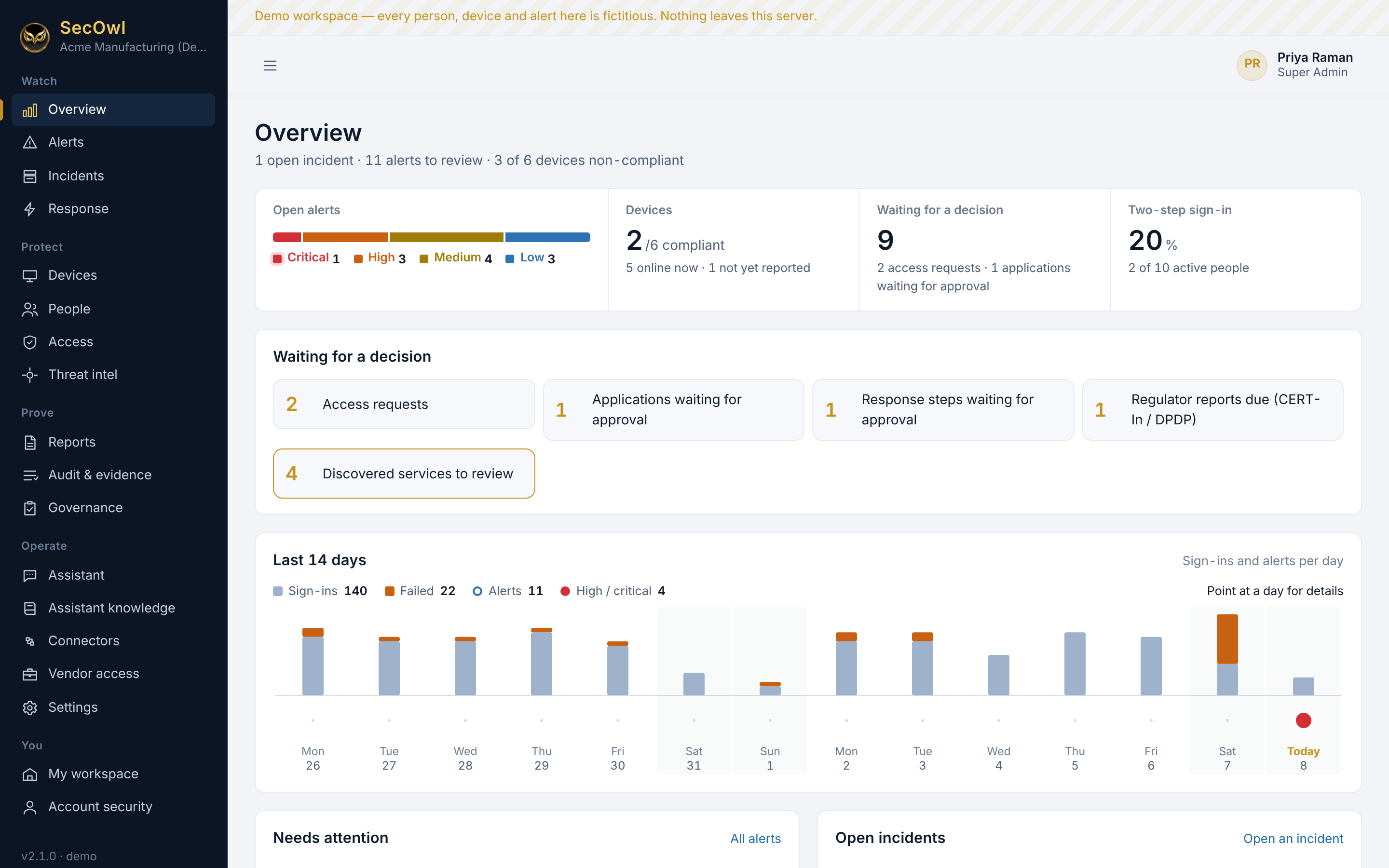
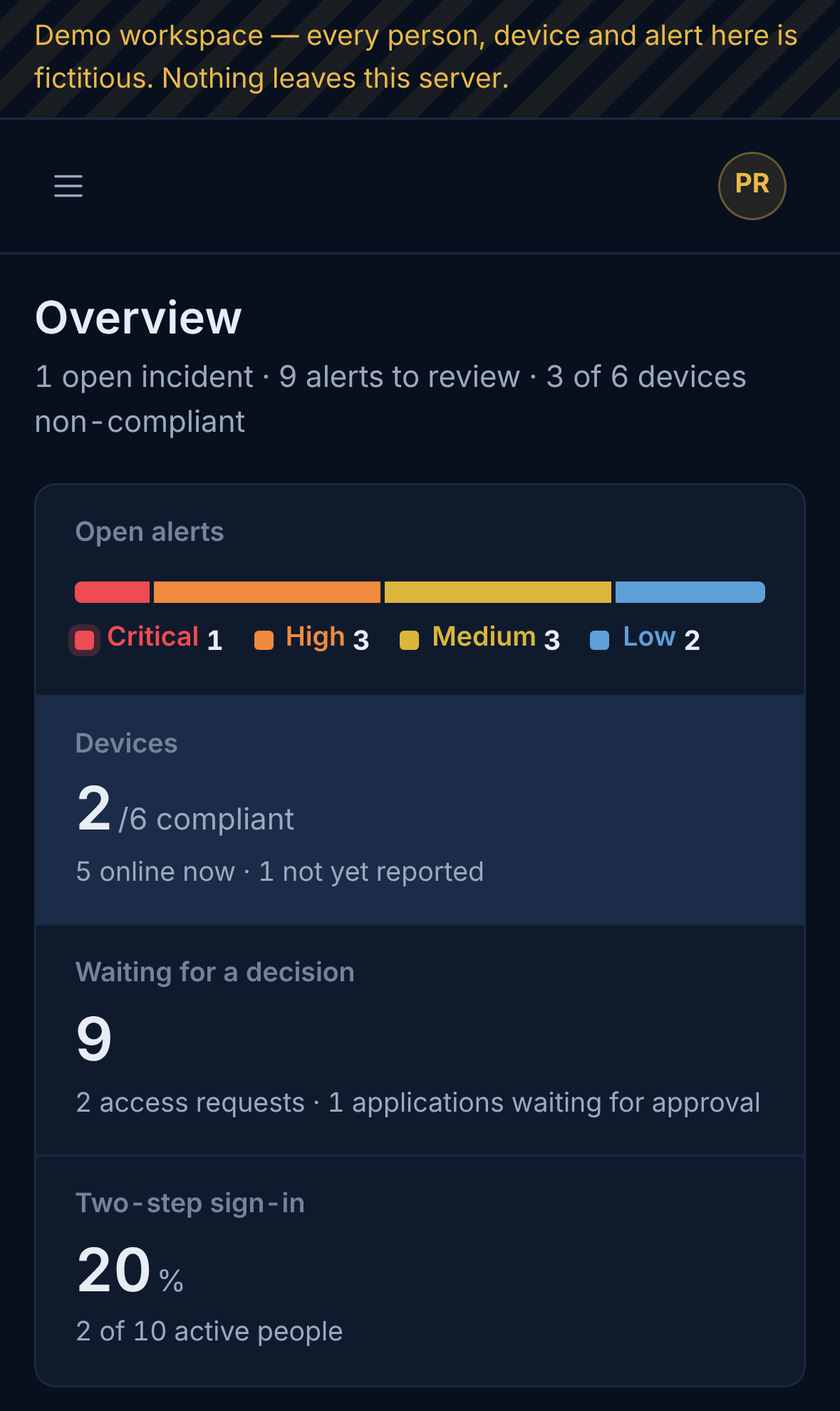
Overview

Open alerts, device compliance, two-step sign-in coverage, 14 days of activity, and everything waiting for a decision.

SecOwl 2.1Demo data
See all screens

Inside SecOwl

Real screens from SecOwl running live.

Captured on 8 November 2026 from SecOwl 2.1.0 running live (demo edition, fresh installation) and SecOwl SOC Hub 2.1.0 with three demo companies. All names, people and devices are fictitious demo data, such as "Acme Manufacturing (Demo)". The screens are not mocked up or retouched.
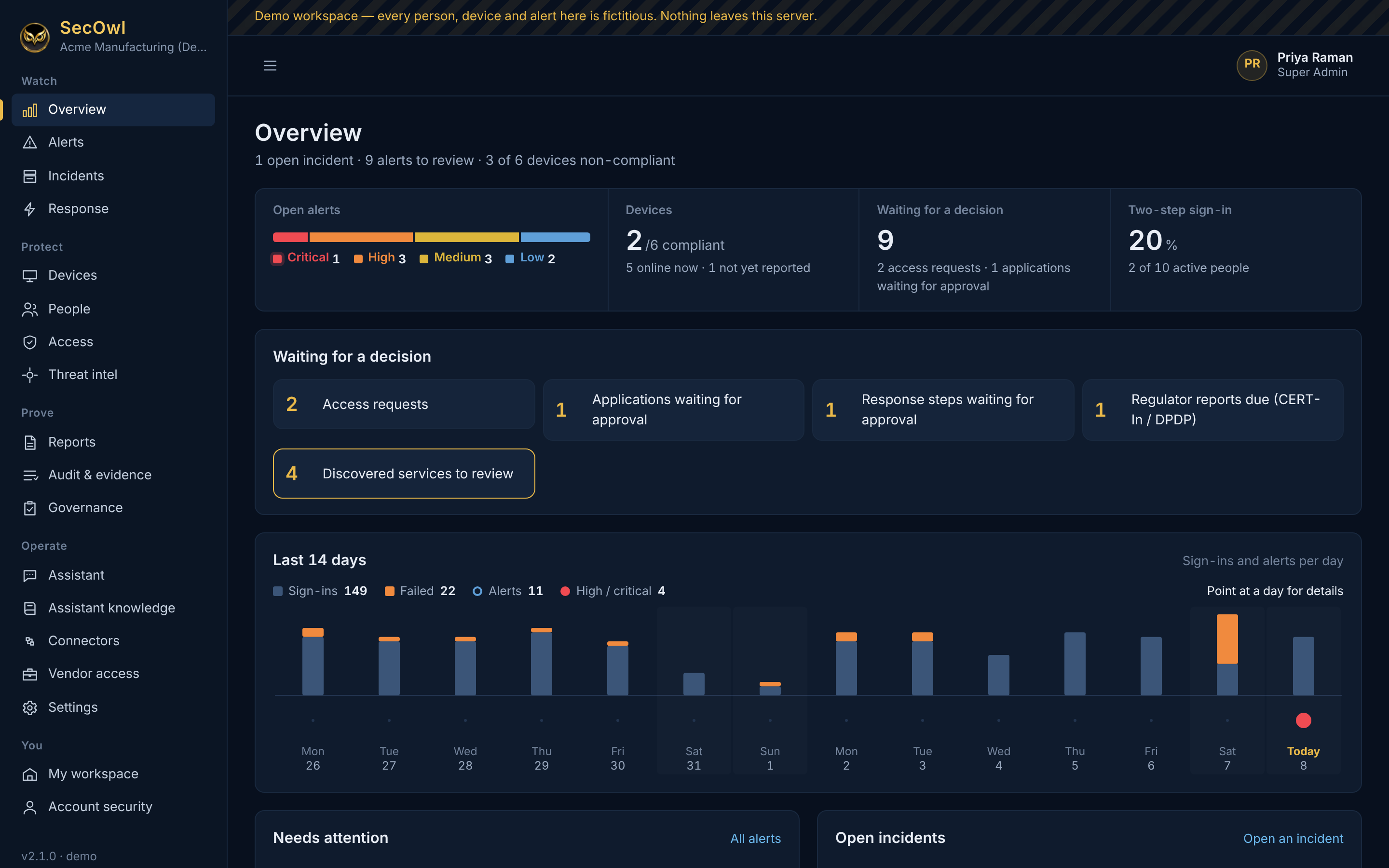
SecOwl overview dashboard with alert counts by severity, device compliance and a queue of decisions waiting for approval (demo data)Demo data
Overview Open alerts, device compliance, two-step sign-in coverage, 14 days of activity, and everything waiting for a decision.View full size ↗
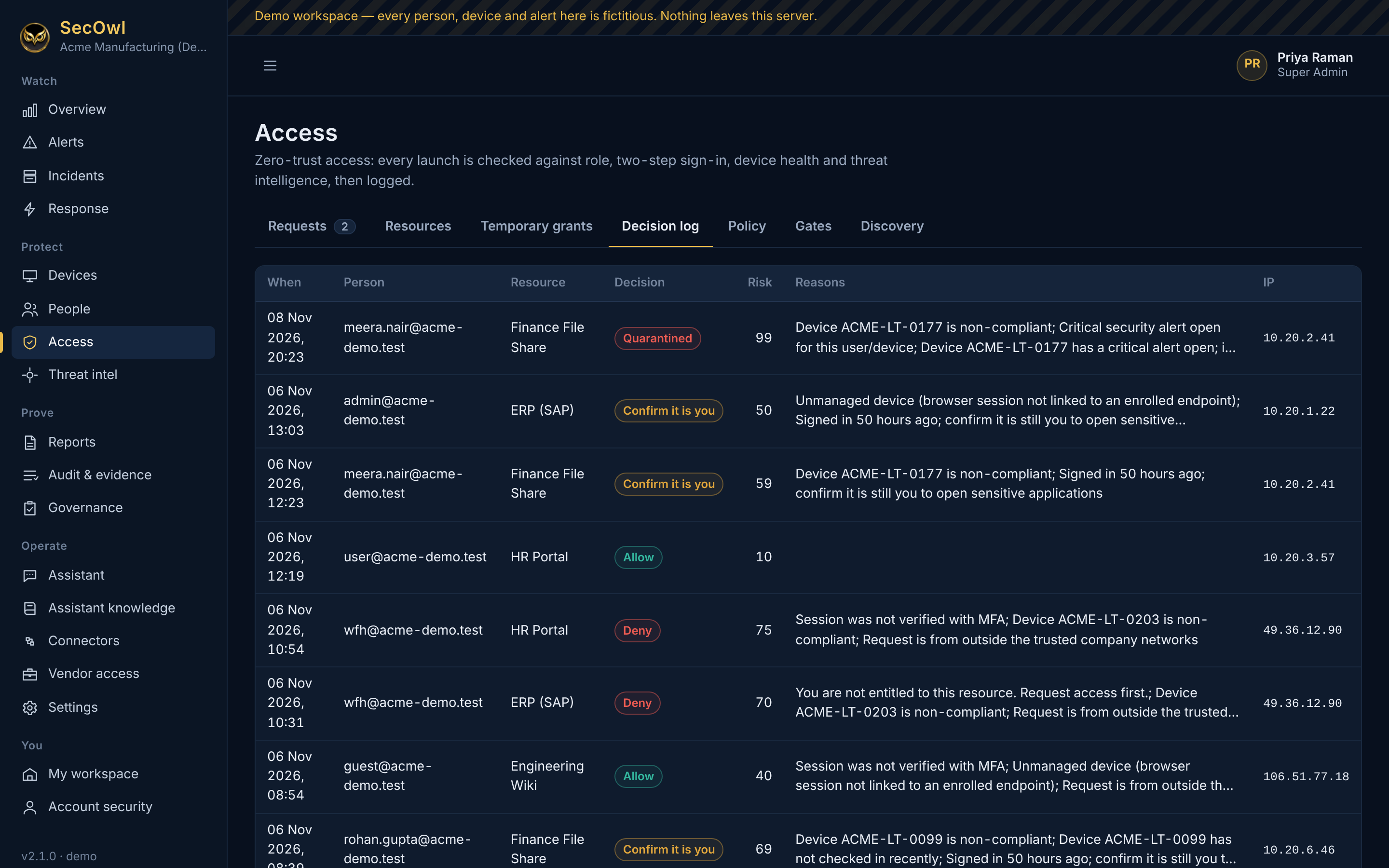
Access decision log listing people, applications, decisions such as quarantined, confirm it is you and deny, risk scores and reasons (demo data)Demo data
Every access decision, with reasons Each time someone opens an application, SecOwl records the decision, the risk score and the reasons in plain words.View full size ↗
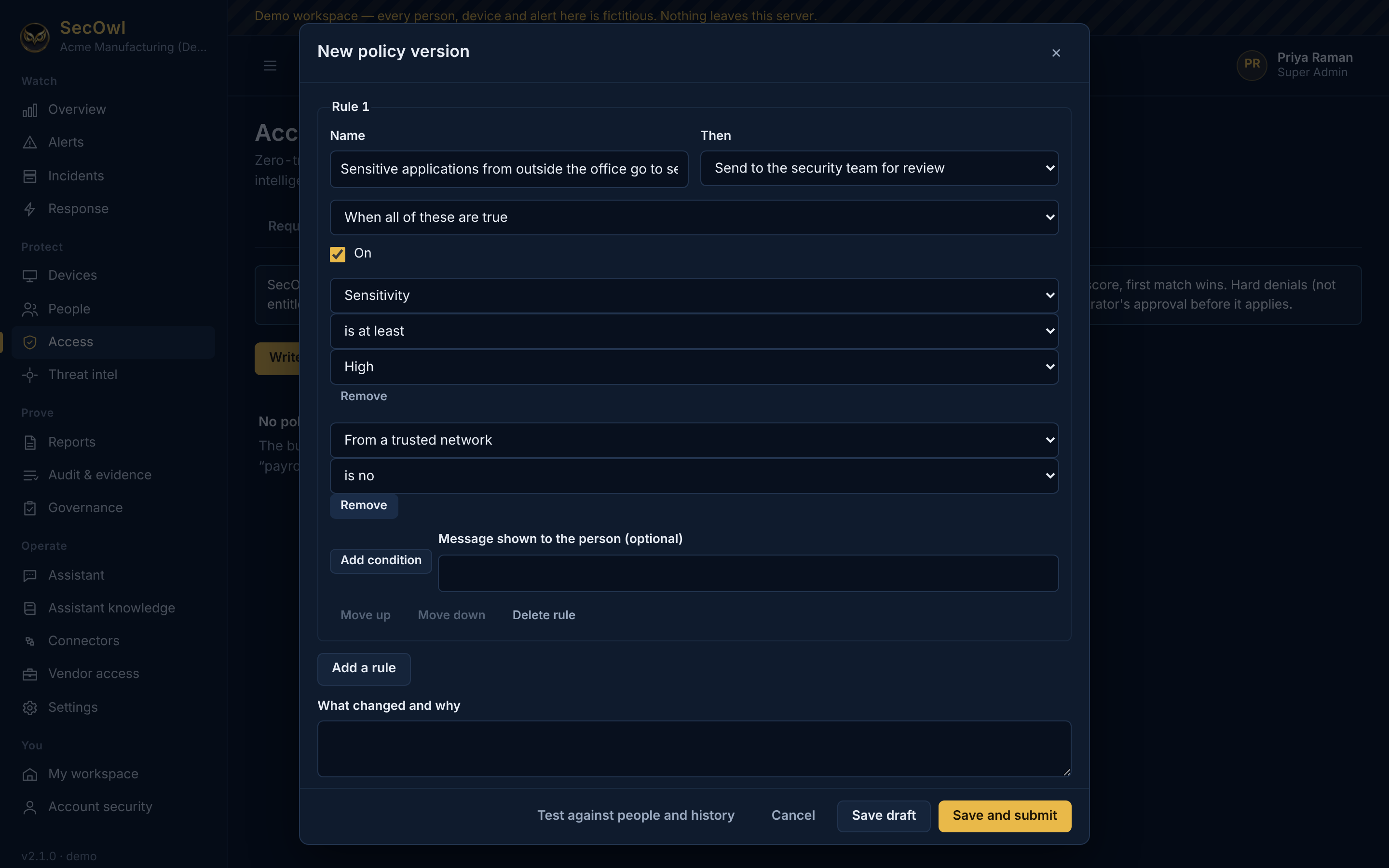
Policy editor with a rule: sensitive applications from outside the office go to security review (demo data)Demo data
Policy builder Site rules on top of the built-in zero-trust decision, written in plain terms.View full size ↗
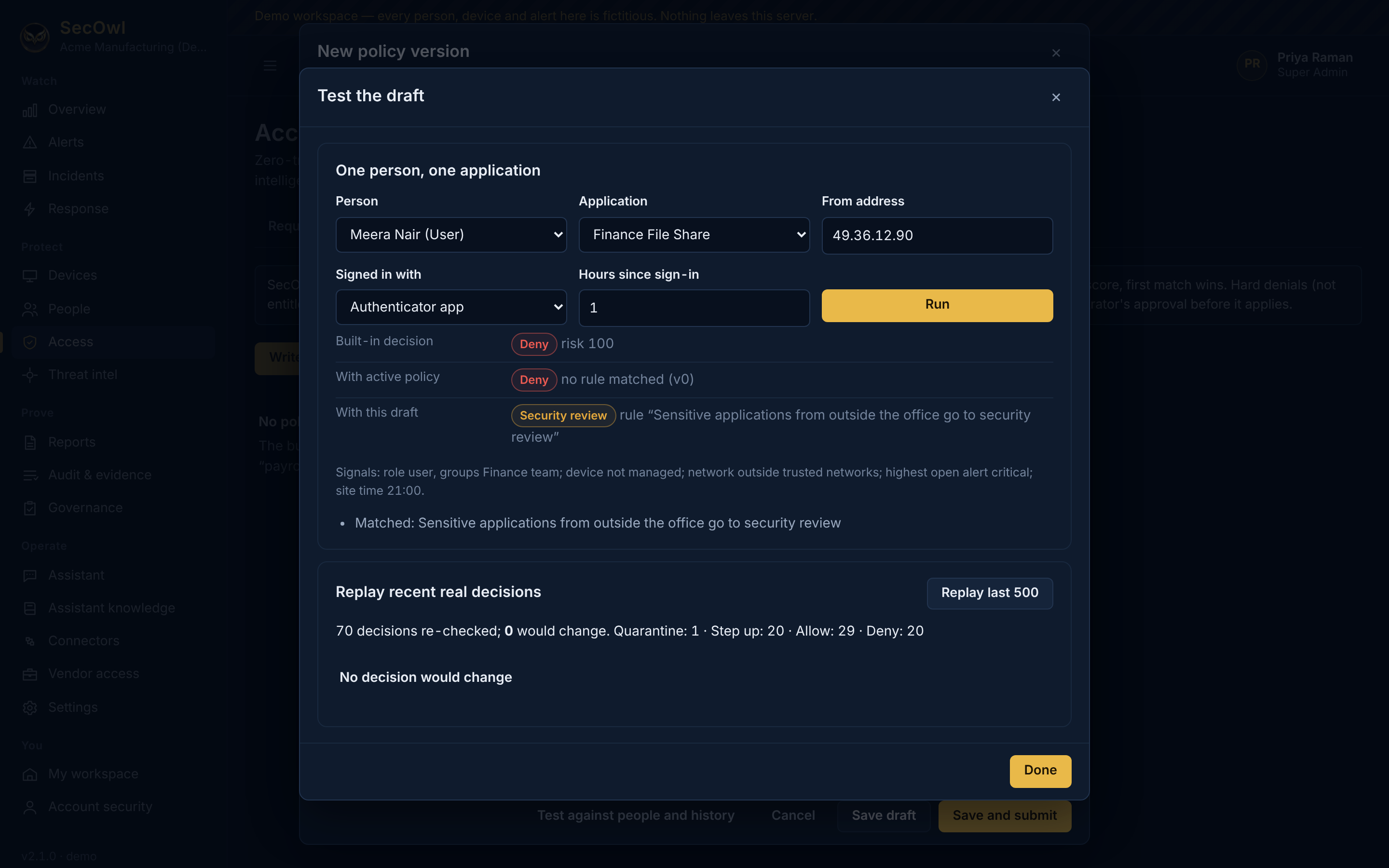
Policy test dialog showing the built-in decision, the active policy and the draft rule result for one person and application, and a replay of recent decisions (demo data)Demo data
Test a policy before it applies Try a draft against a real person and application, and replay it against recent real decisions, before a second administrator approves it.View full size ↗
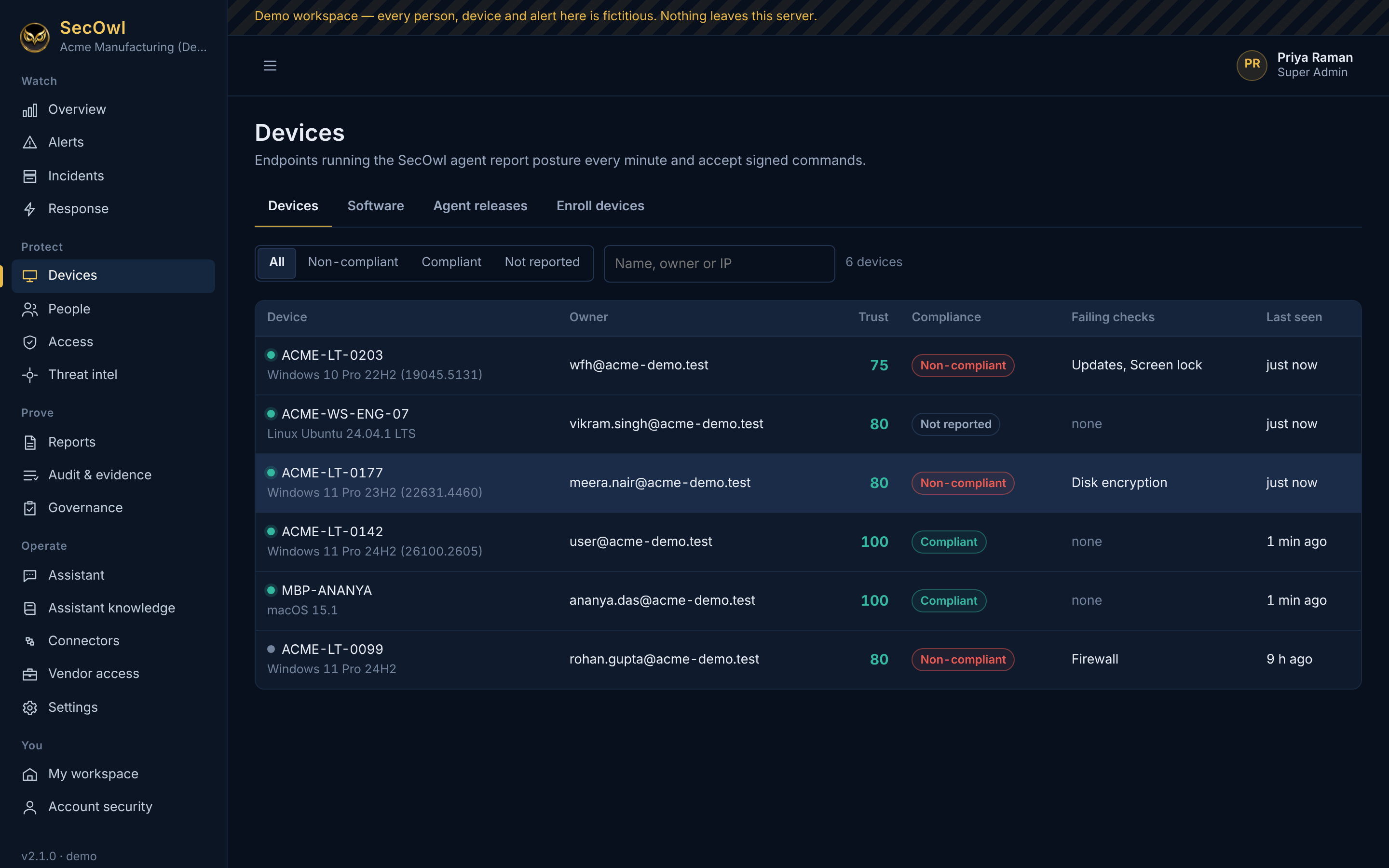
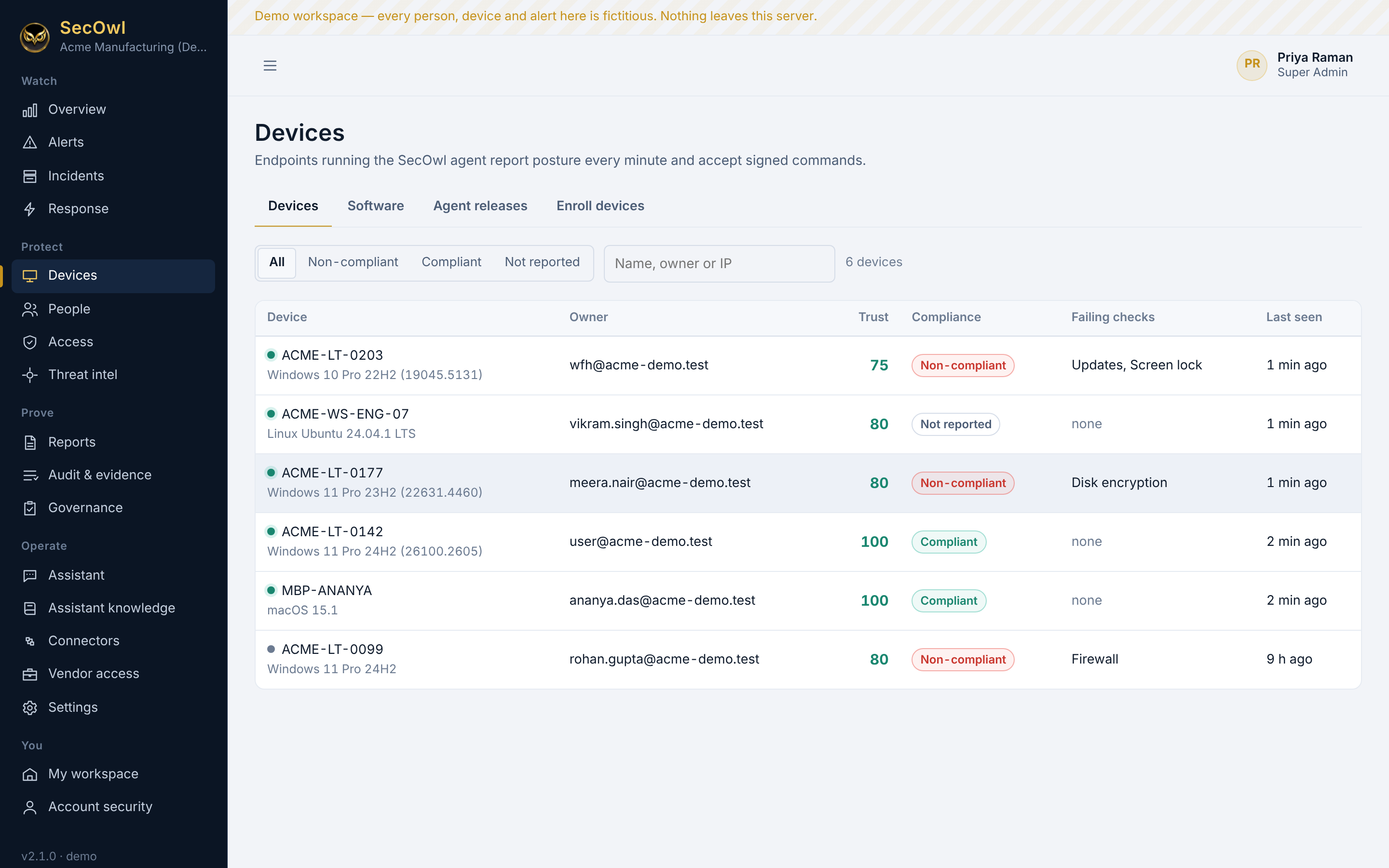
Device list with trust scores, compliance status and failing security checks (demo data)Demo data
Managed devices Every computer running the SecOwl agent, with its trust score, compliance and failing checks.View full size ↗
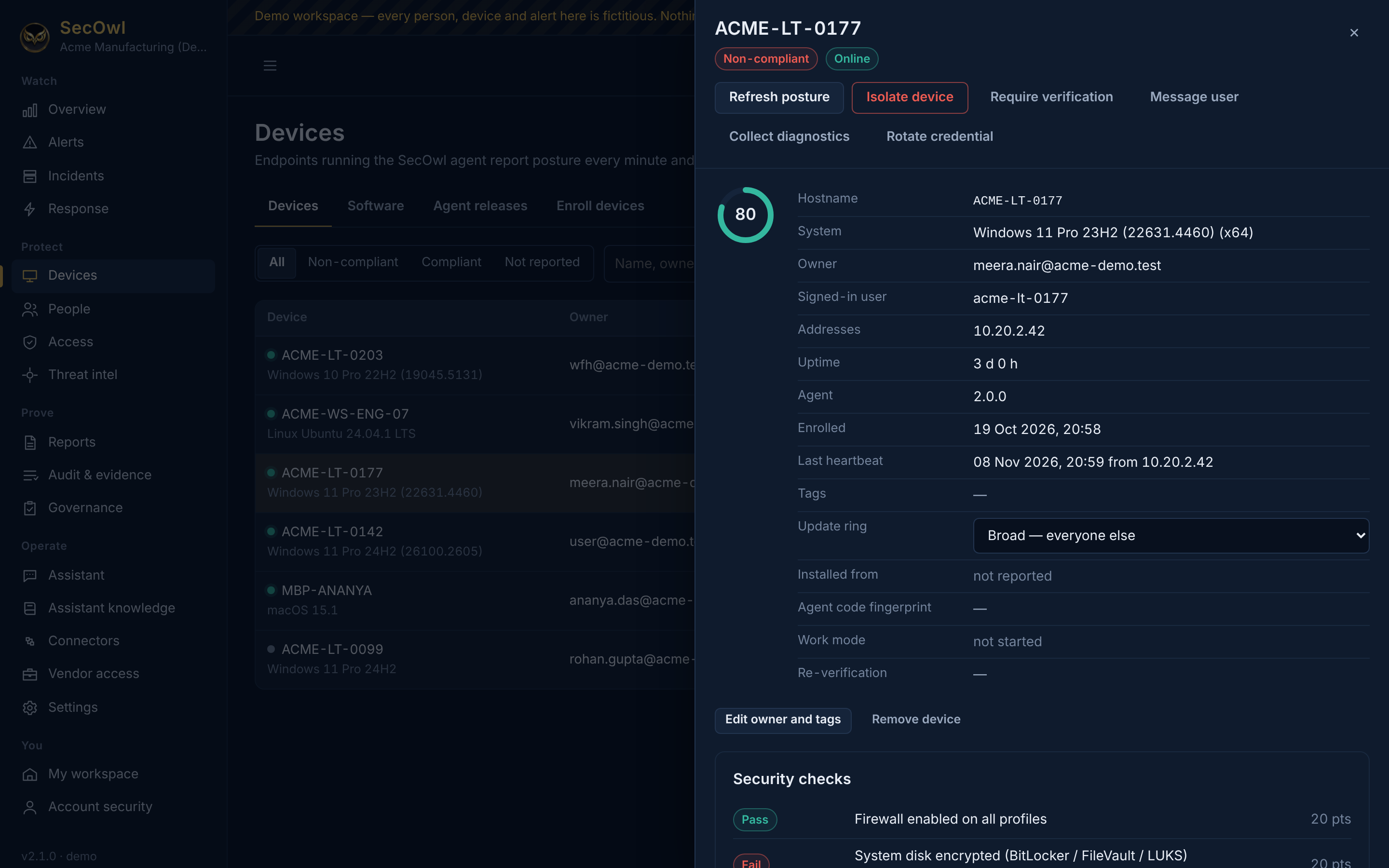
Device panel for ACME-LT-0177 with trust score 80, posture checks and buttons to refresh posture or isolate the device (demo data)Demo data
Device detail and signed commands Posture checks, owner and agent details, and signed commands such as isolate, refresh and require verification.View full size ↗
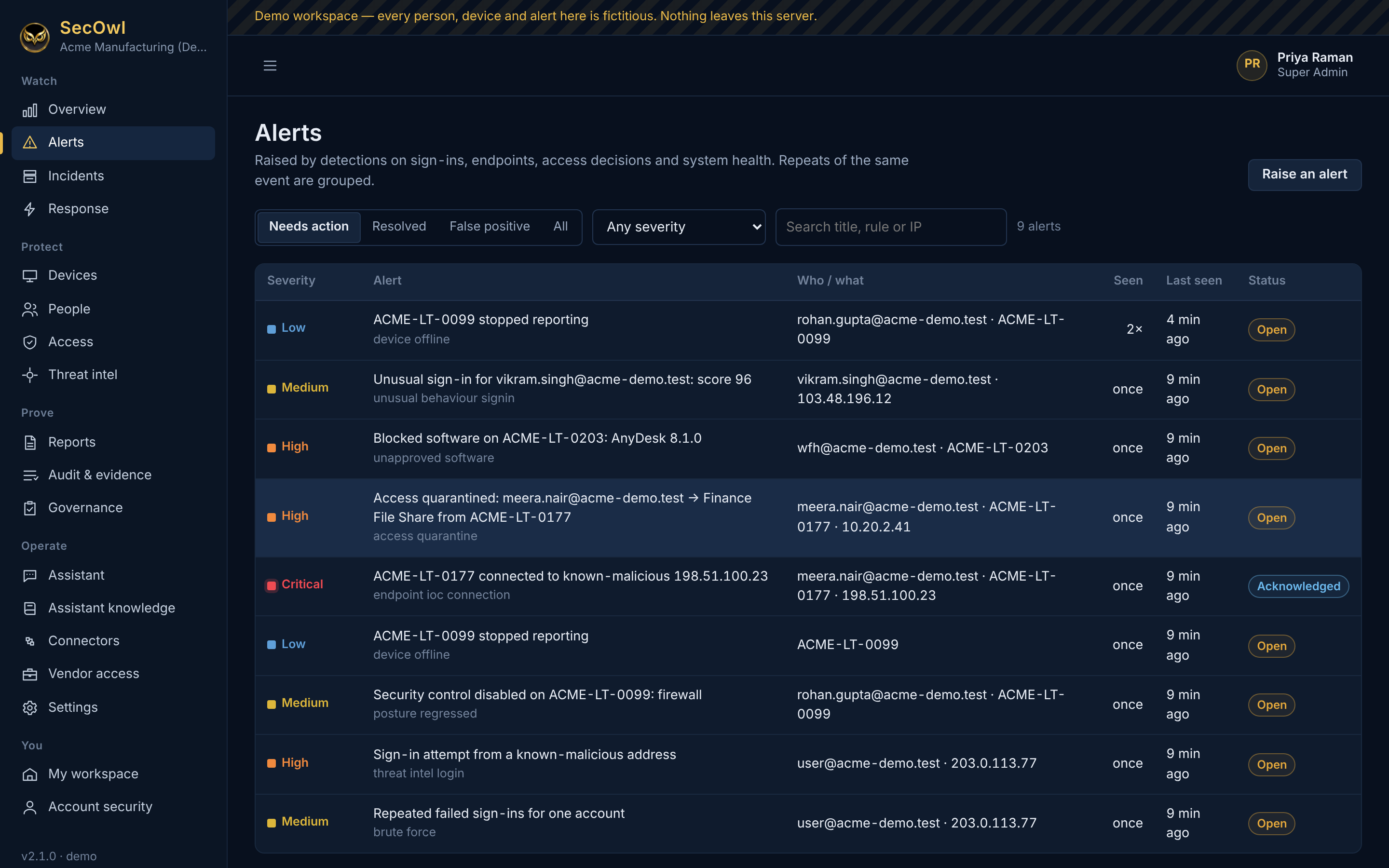
Alert list with severities, including a critical connection to a known-malicious address and a quarantined access attempt (demo data)Demo data
Alerts Detections on sign-ins, endpoints, access decisions and system health, grouped when repeated.View full size ↗
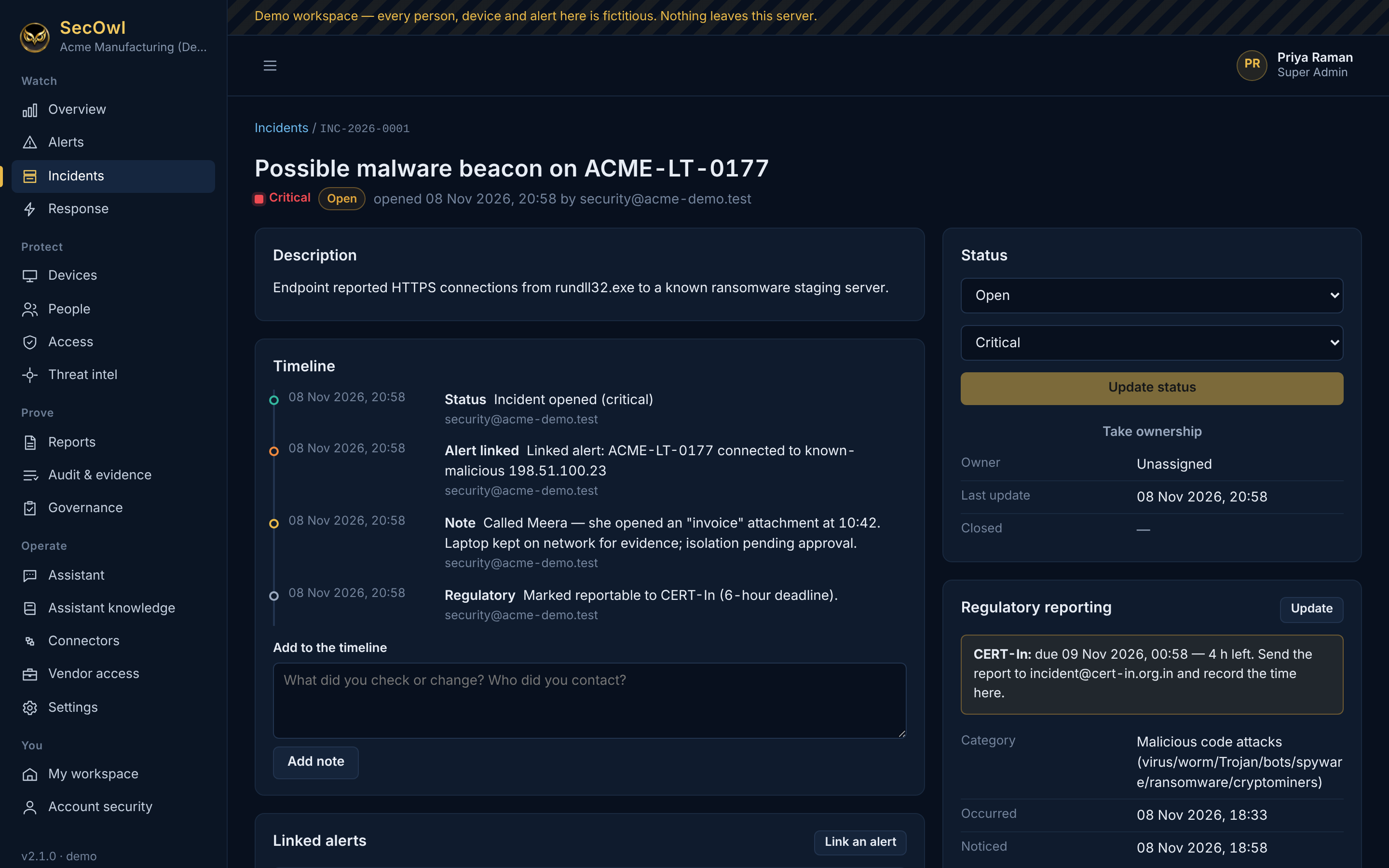
Incident page for a possible malware beacon with its timeline and a CERT-In reporting deadline (demo data)Demo data
Incidents with regulator clocks A timeline auditors can follow, and the CERT-In 6-hour deadline counting down.View full size ↗
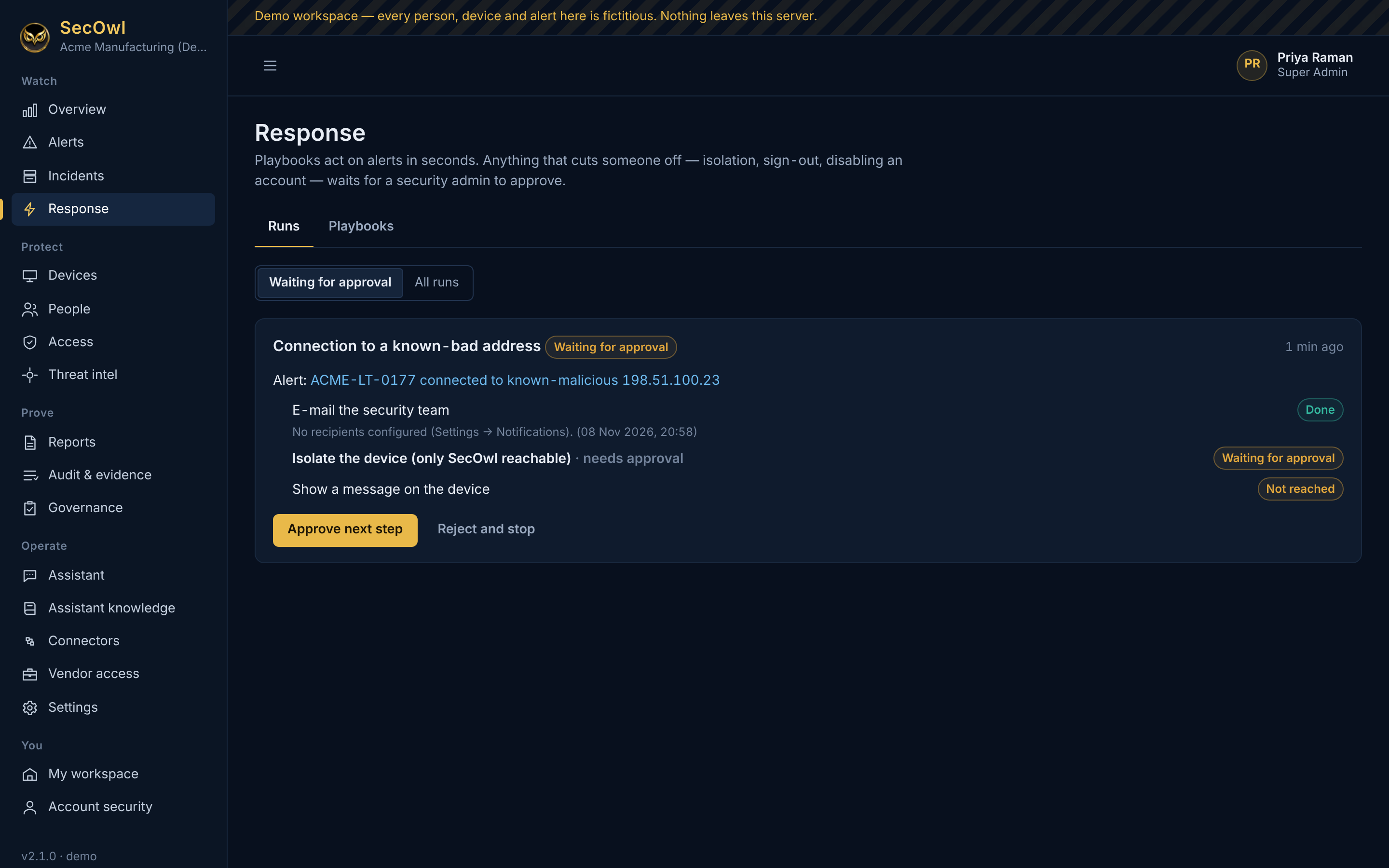
Response playbook run waiting for approval before isolating a device (demo data)Demo data
Response that waits for a person Playbooks act in seconds, but isolation, sign-out and account changes wait for a security admin to approve.View full size ↗
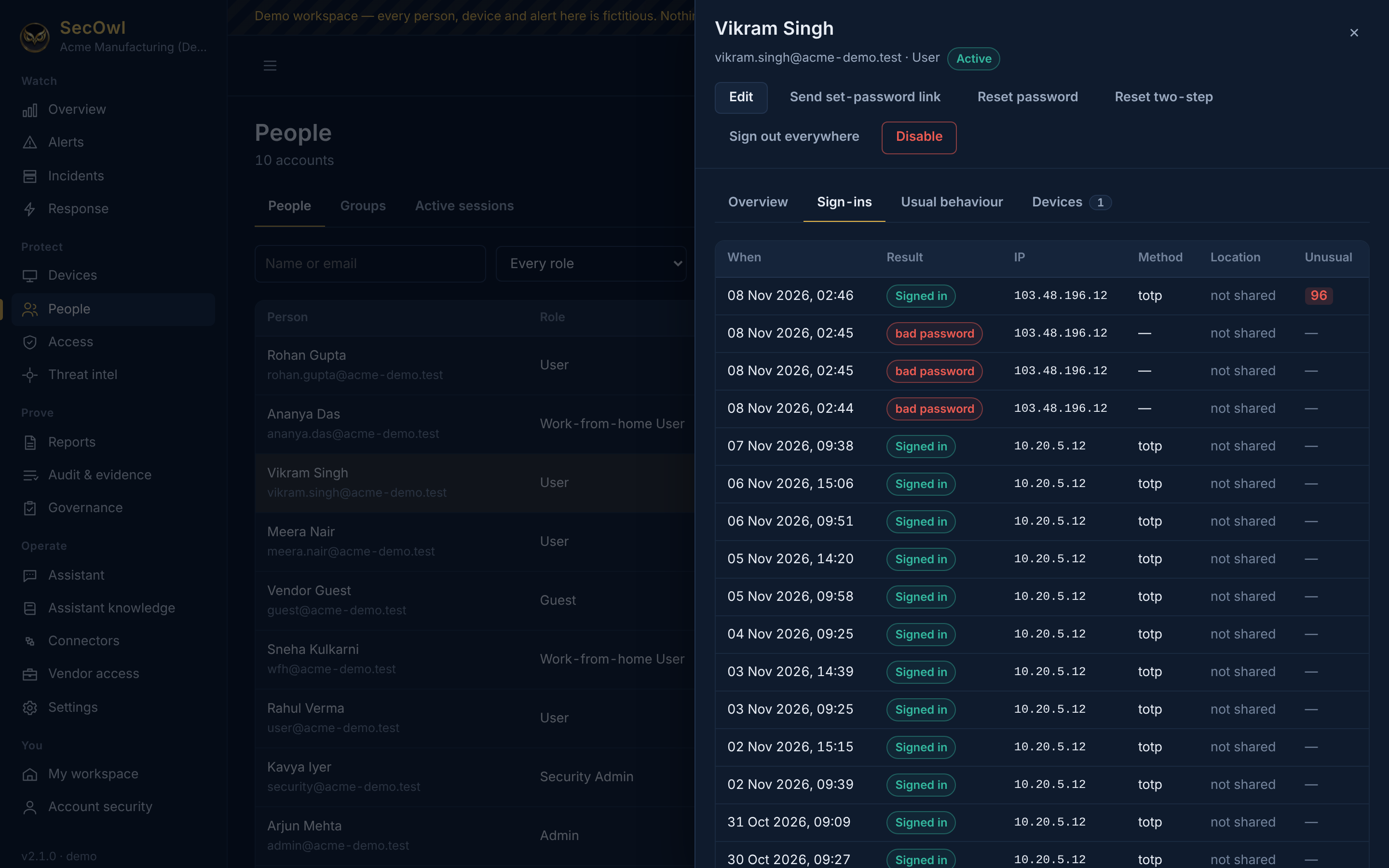
Sign-in history for one person with three failed passwords and a sign-in scored 96 as unusual (demo data)Demo data
Risk Model: unusual sign-ins After three wrong passwords, a 02:46 sign-in from an unfamiliar address scores 96 out of 100 for this person.View full size ↗
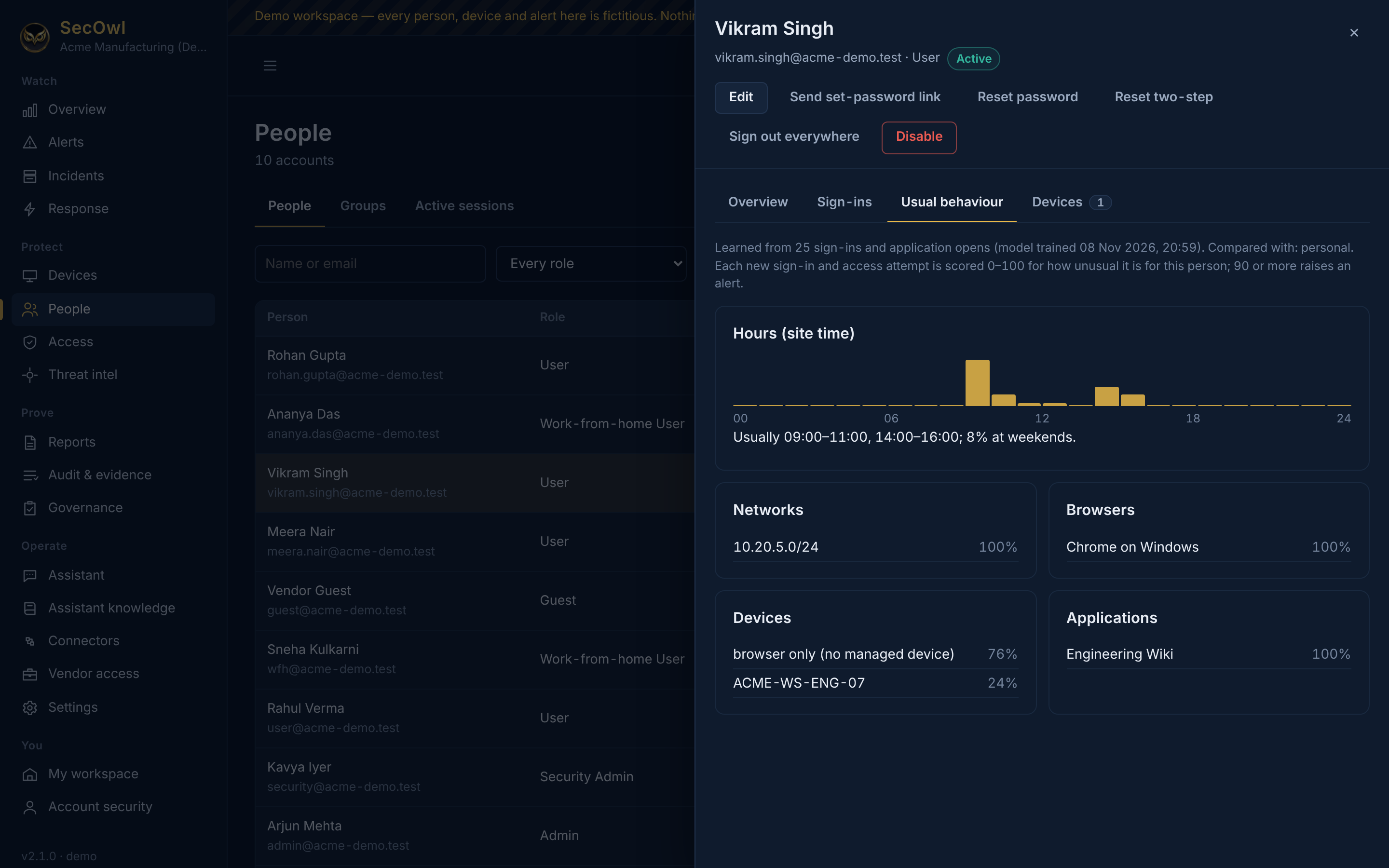
Usual behaviour panel showing a person's usual sign-in hours, network, browser, devices and applications (demo data)Demo data
Risk Model: what is usual for each person Usual hours, networks, browsers, devices and applications, learned from each person's own history on your server.View full size ↗
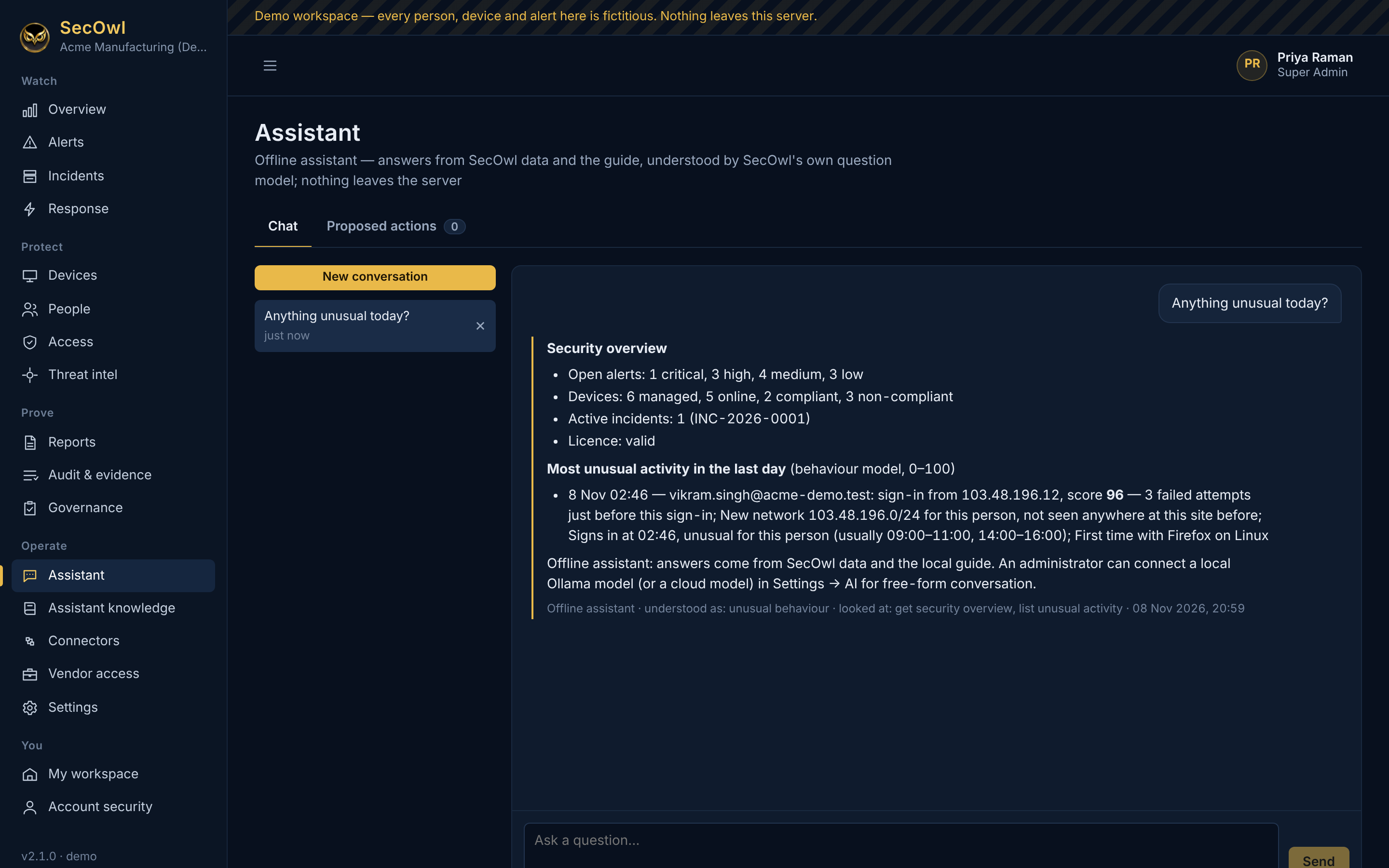
Assistant answering "Anything unusual today?" with a security overview and the most unusual activity of the day (demo data)Demo data
Offline assistant Answers from live SecOwl data, with no language model and nothing leaving the server.View full size ↗
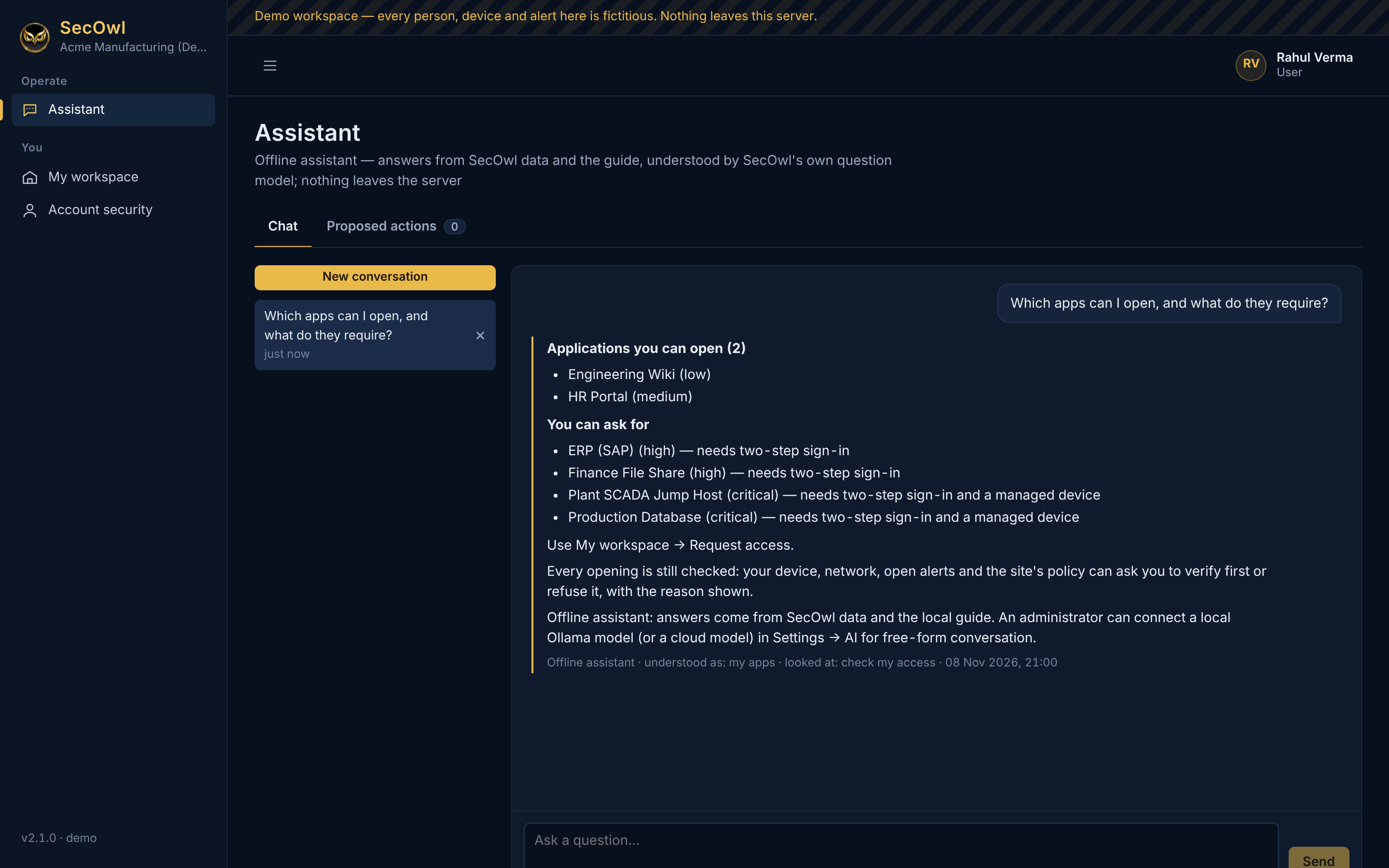
Assistant answering an employee's question about which applications they can open and what each requires (demo data)Demo data
The assistant for an employee Each person sees only what their role allows: here, the applications they can open and what each requires.View full size ↗
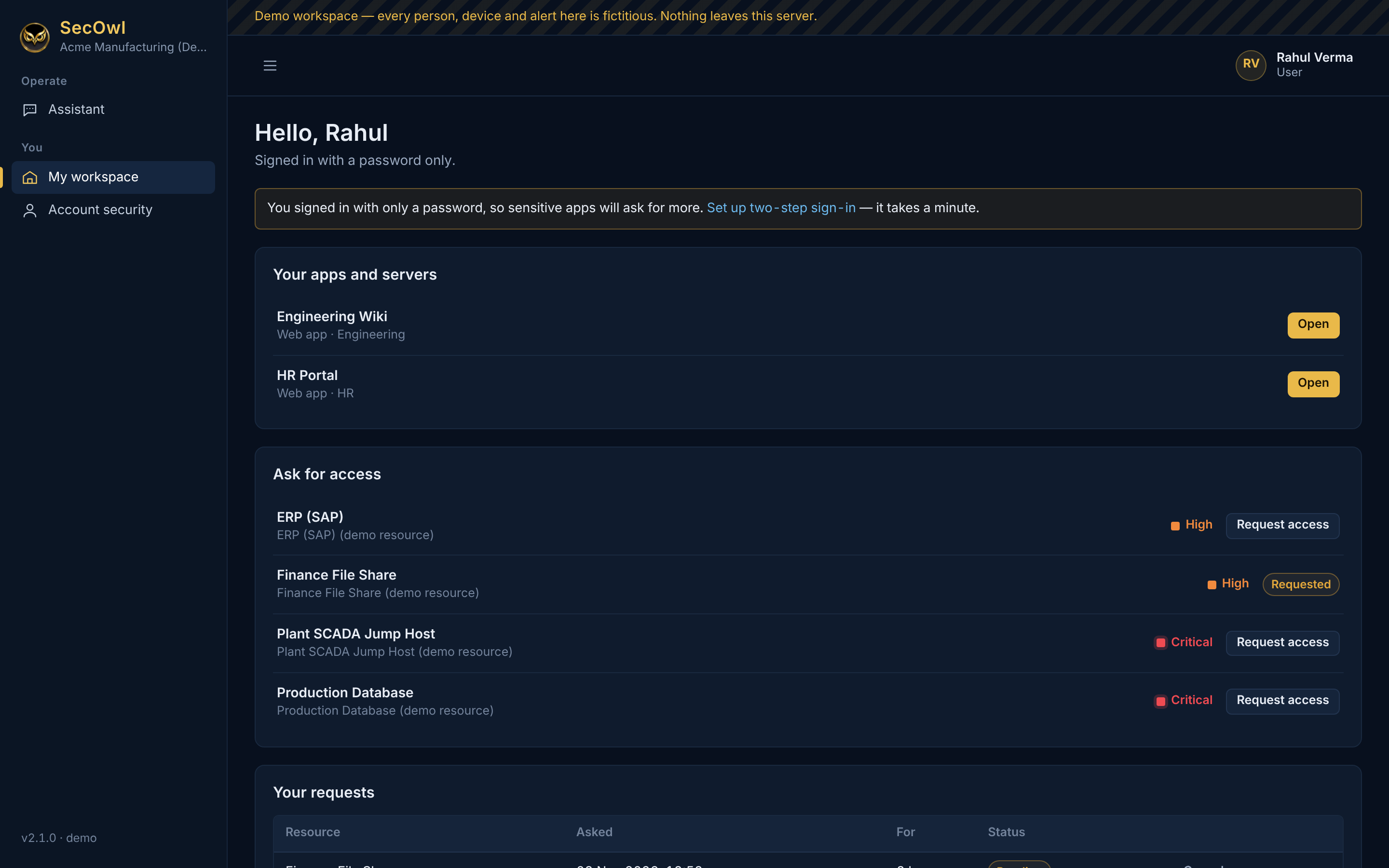
Employee workspace with applications to open and others to request access to (demo data)Demo data
My workspace Employees open their applications from one place and request access to others.View full size ↗
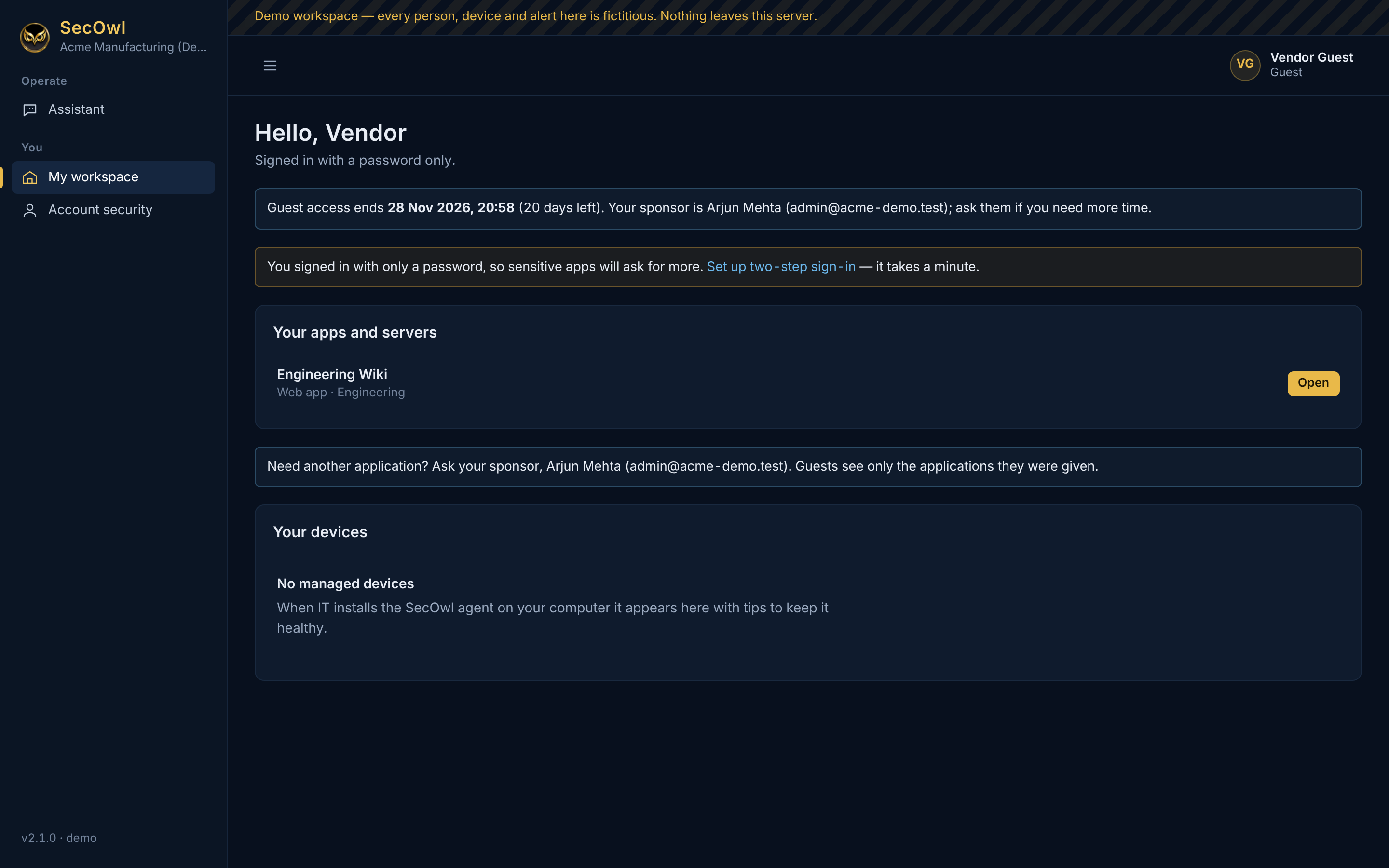
Guest workspace showing the access end date, the sponsor and one application (demo data)Demo data
Guest access with a sponsor and an end date Guests see only the applications their sponsor named, until the end date.View full size ↗
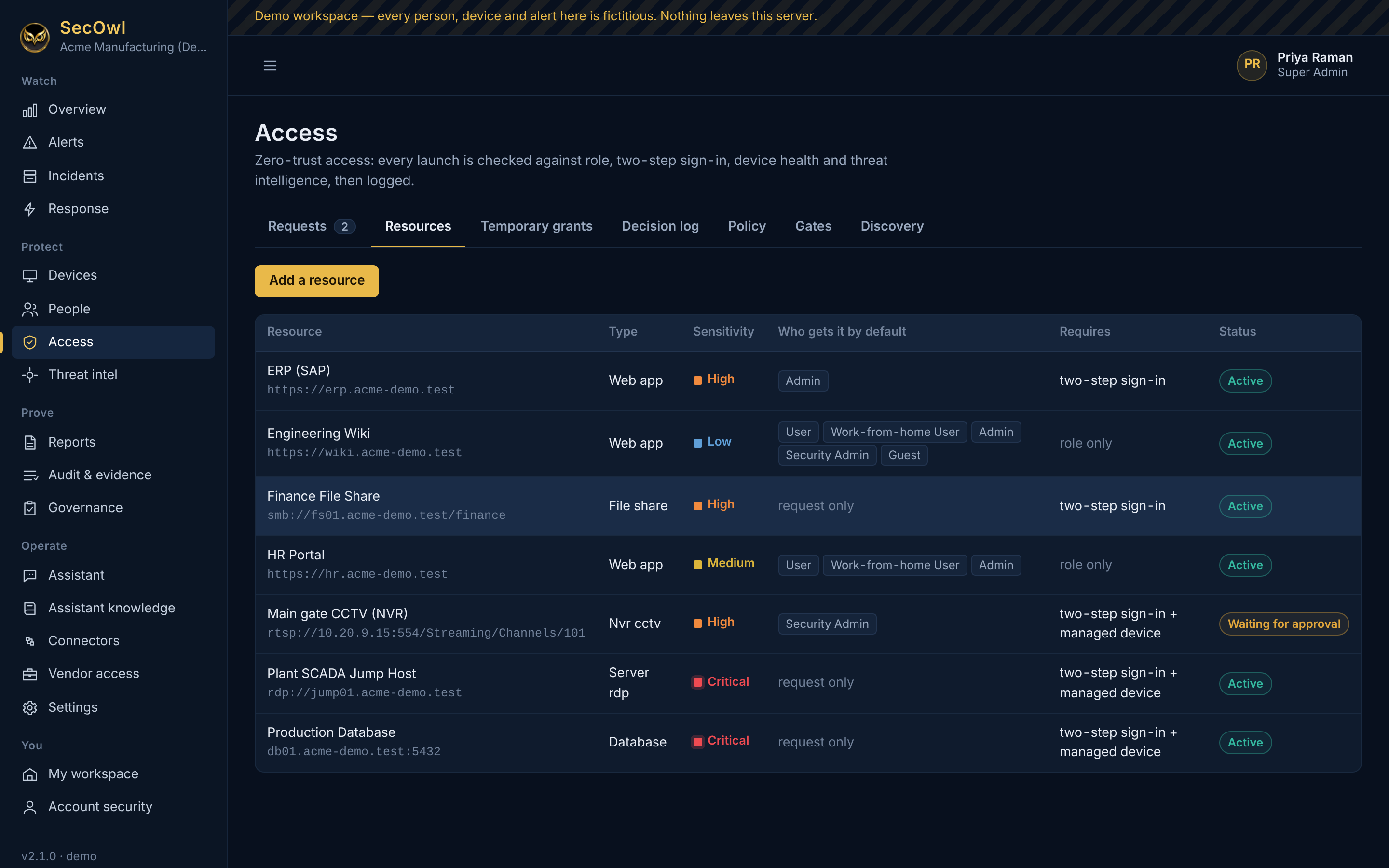
Resource list with sensitivity levels and a camera recorder waiting for approval (demo data)Demo data
Applications and resources Every application, server, share and camera recorder with its sensitivity and requirements; sensitive ones need a second person's approval.View full size ↗
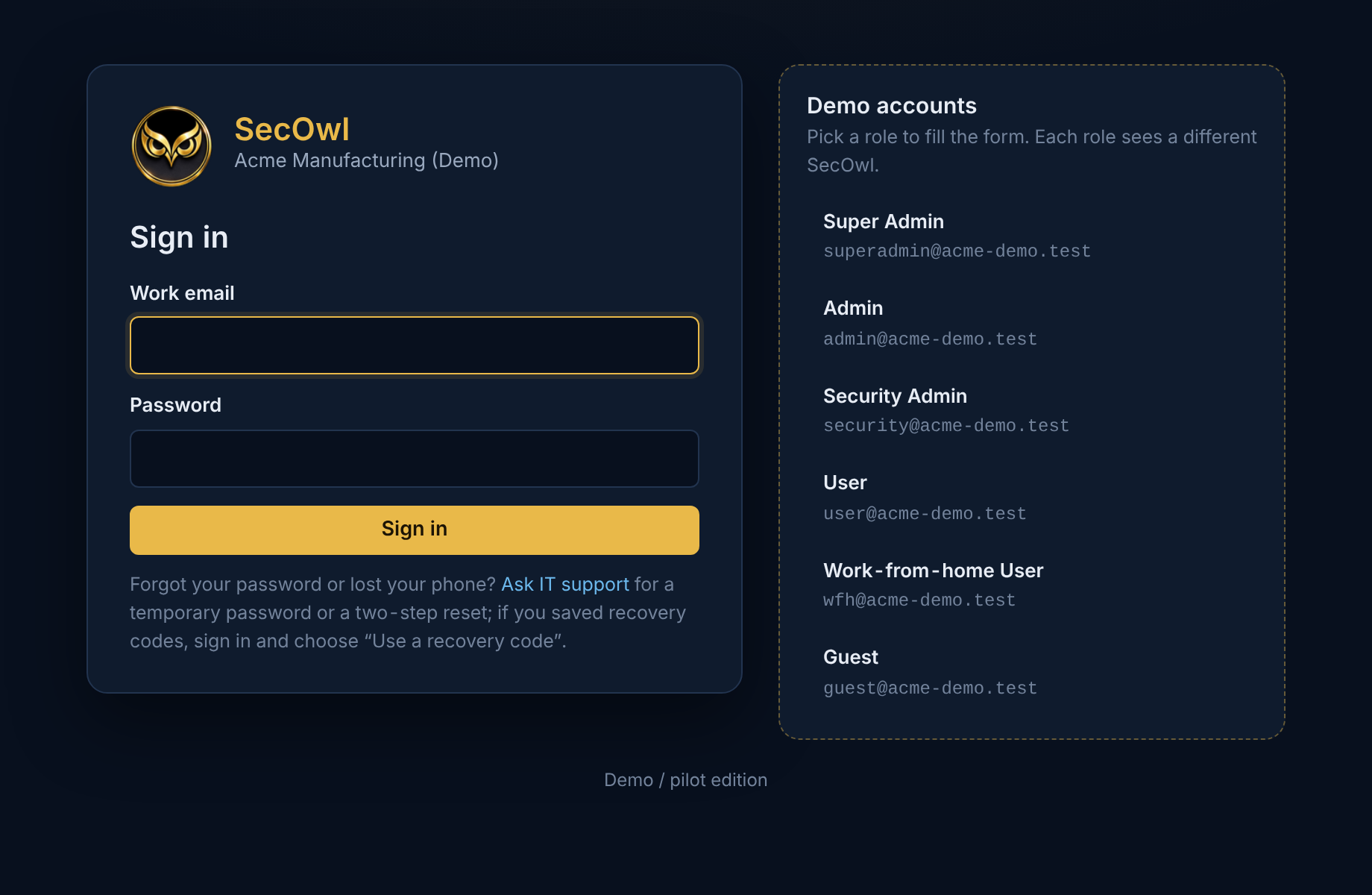
SecOwl sign-in page with demo accounts listed (demo data)Demo data
Sign-in Sign in with a password plus a passkey or authenticator app. The demo offers one-click demo accounts.View full size ↗
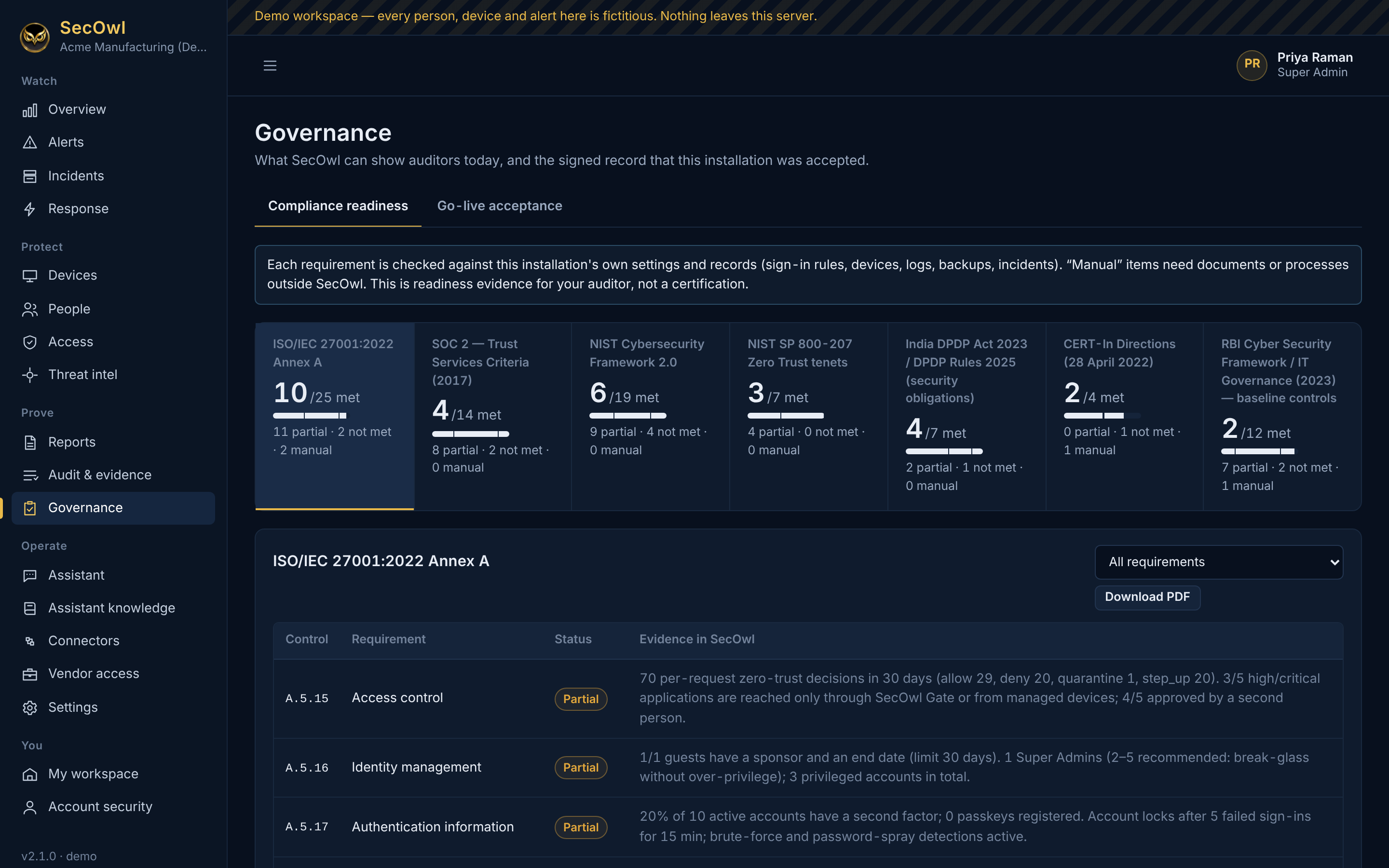
Compliance readiness page with seven frameworks and ISO 27001 controls marked met, partial or not met with evidence (demo data)Demo data
Compliance readiness Live measurements mapped to ISO/IEC 27001:2022, SOC 2, NIST CSF 2.0, NIST SP 800-207, DPDP, CERT-In and RBI controls.View full size ↗
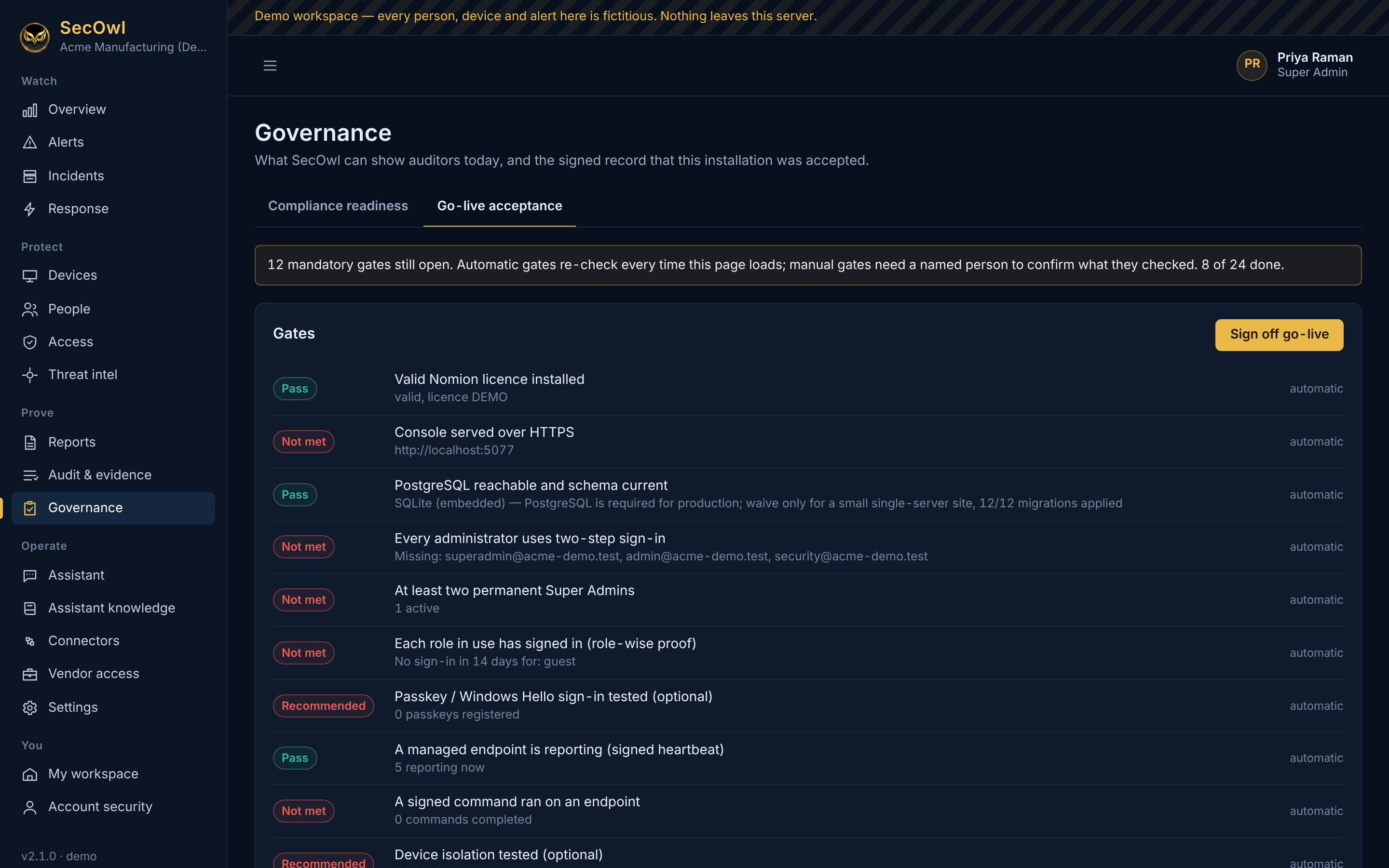
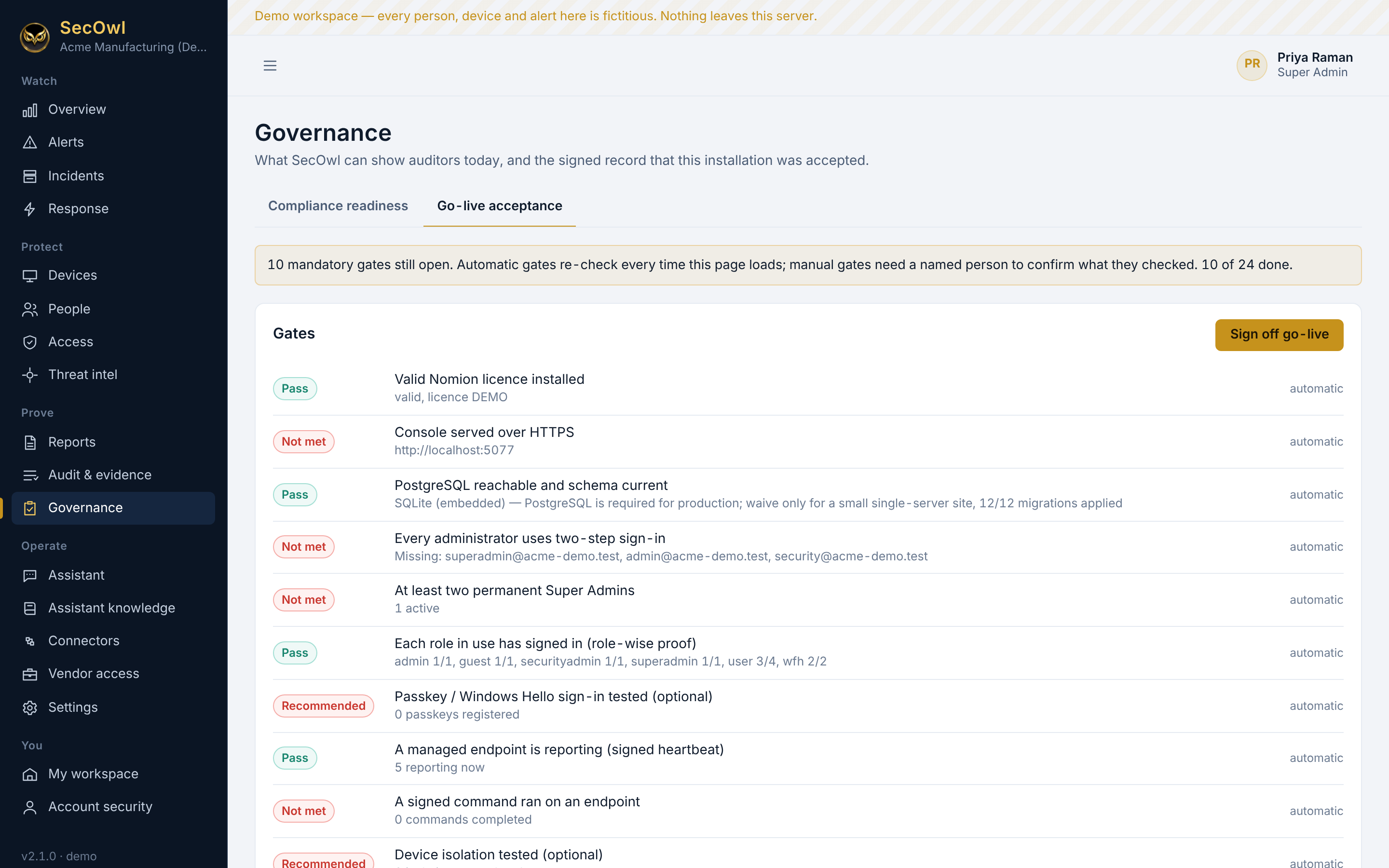
Go-live acceptance gates with pass, not met and recommended statuses (demo data)Demo data
Go-live acceptance Evidence-based gates before a site goes live. On the demo laptop, HTTPS and PostgreSQL correctly show as not met.View full size ↗
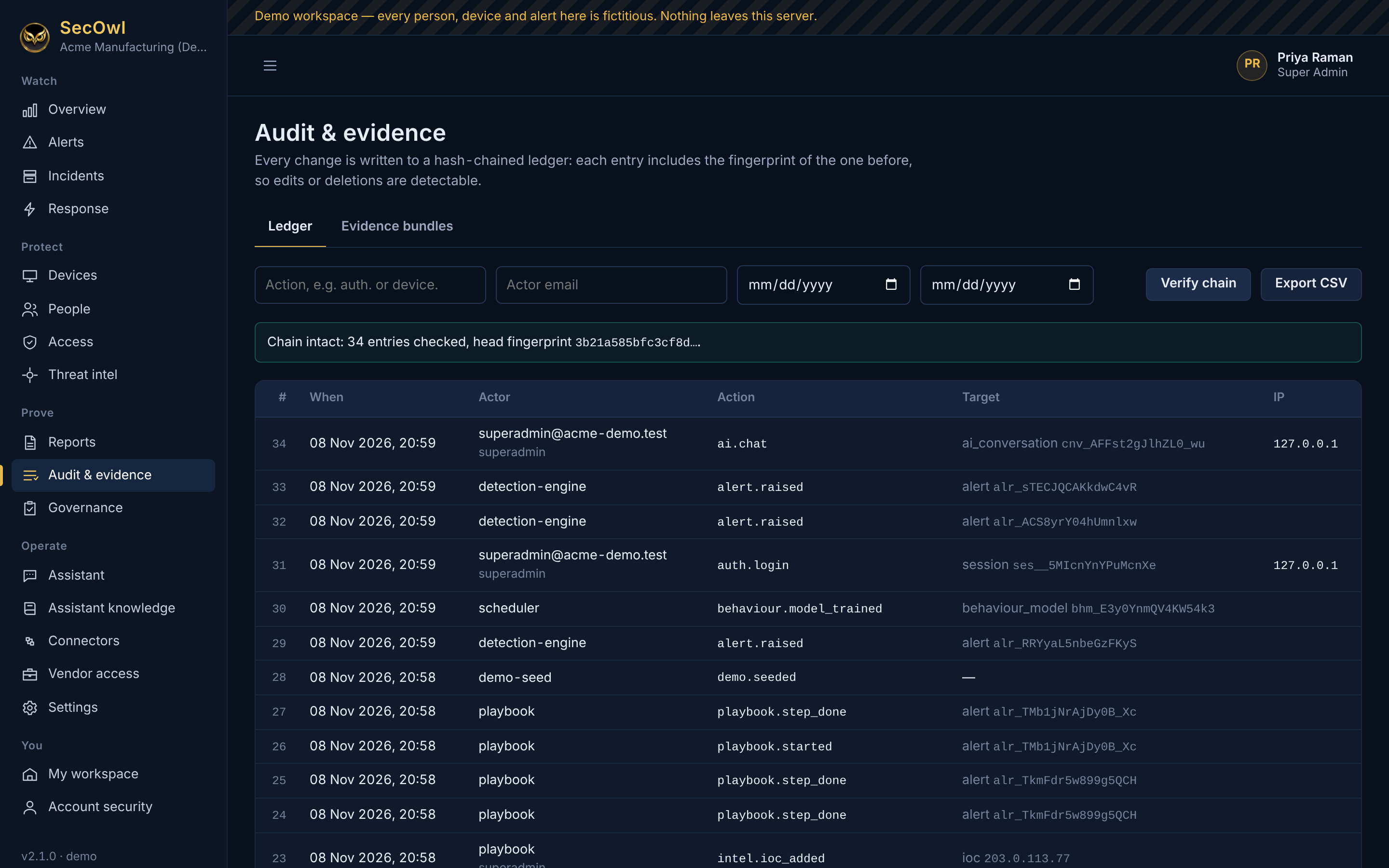
Audit ledger with a message confirming the chain is intact (demo data)Demo data
Tamper-evident audit ledger Every change is chained with SHA-256. Verify chain checks every entry.View full size ↗
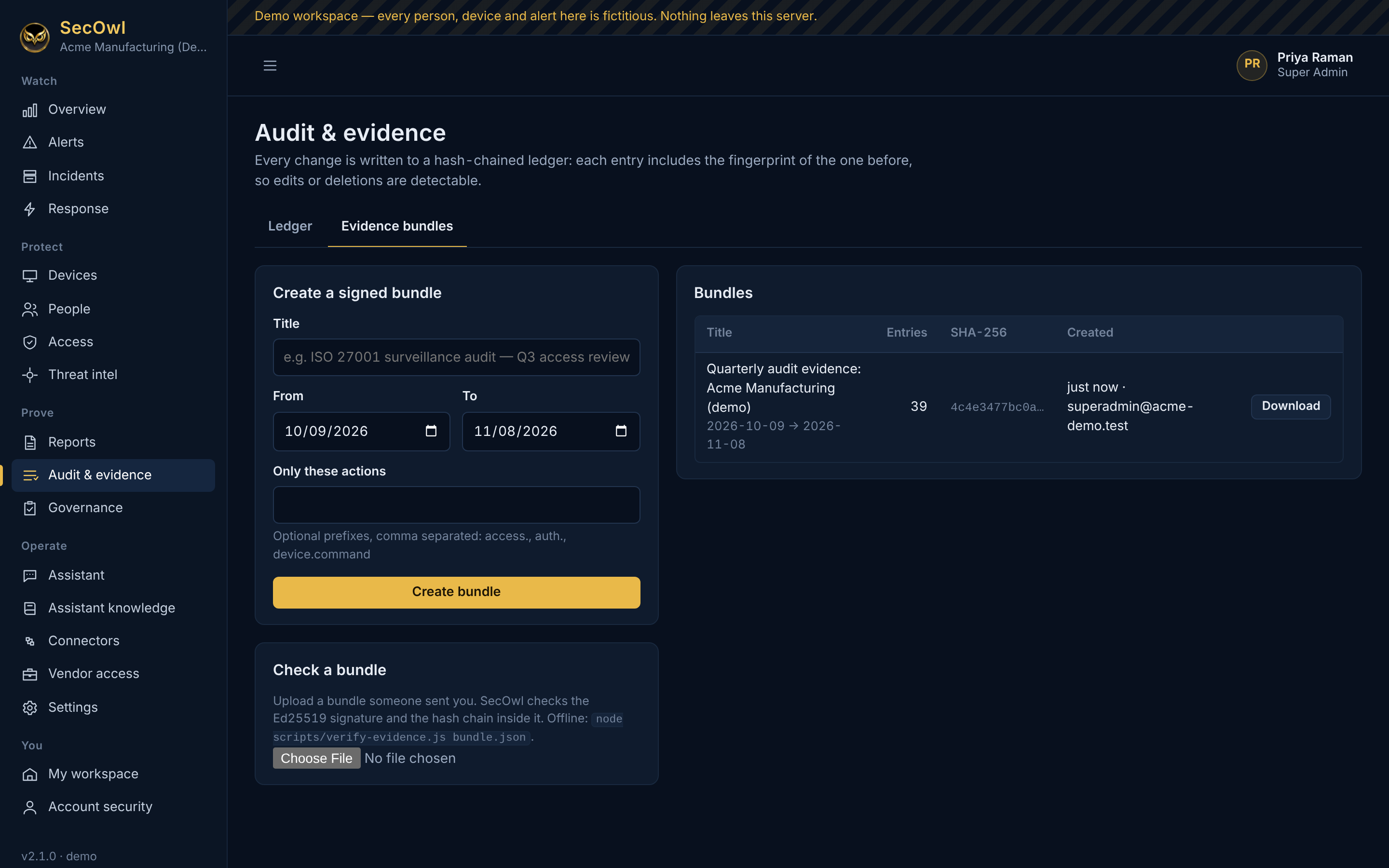
Evidence bundles page with a signed quarterly audit bundle ready to download (demo data)Demo data
Signed evidence bundles A slice of the ledger, signed with the installation's Ed25519 key, for auditors.View full size ↗
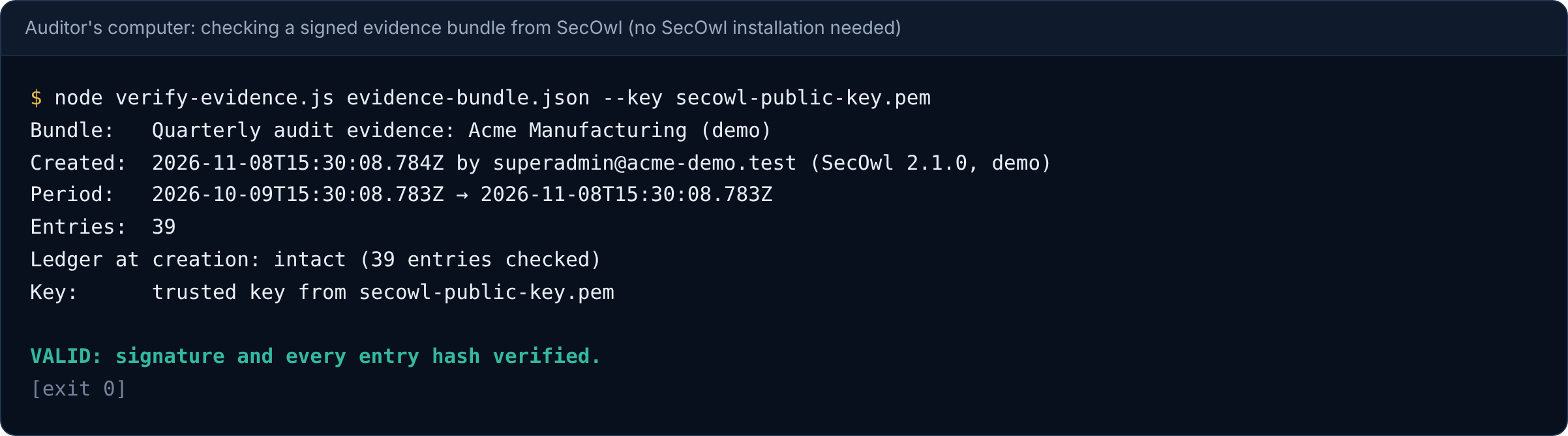
Terminal output: VALID, signature and every entry hash verified (demo data)Demo data
An auditor checks the bundle offline The free verifier needs only Node.js: signature and every entry hash verified.View full size ↗
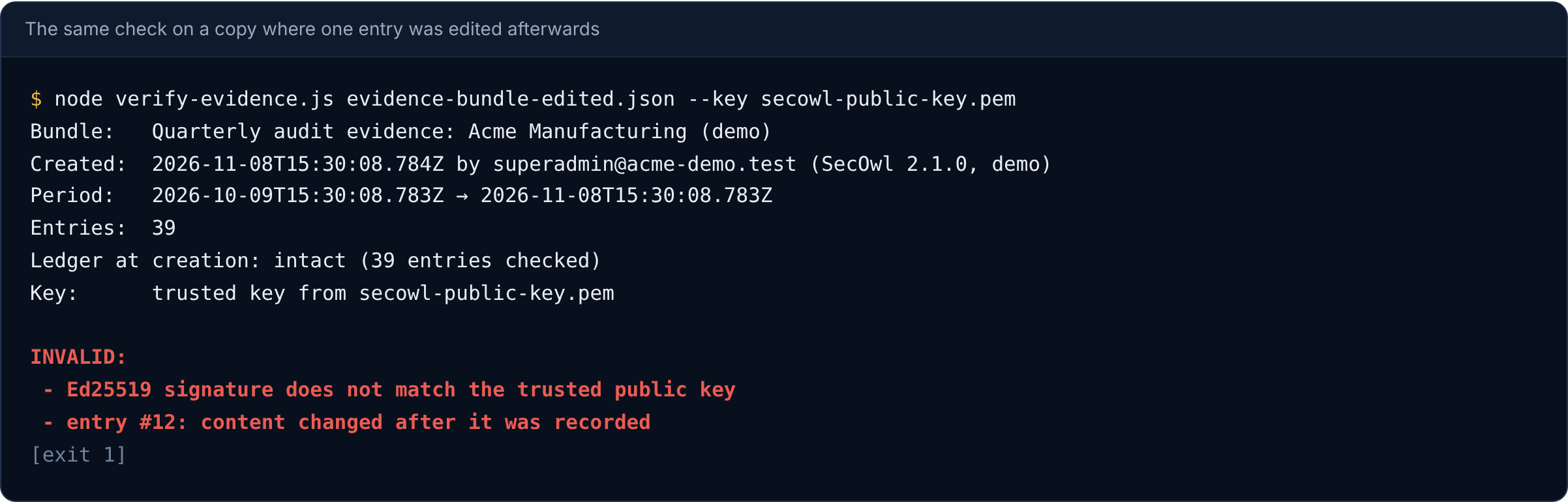
Terminal output: INVALID, signature does not match and entry 12 content changed after it was recorded (demo data)Demo data
Any edit is caught The same check on a copy where one entry was changed afterwards: the signature and that entry fail.View full size ↗
Terminal output: audit ledger intact (demo data)Demo data
Ledger check on the server The same verification from the server's command line.View full size ↗
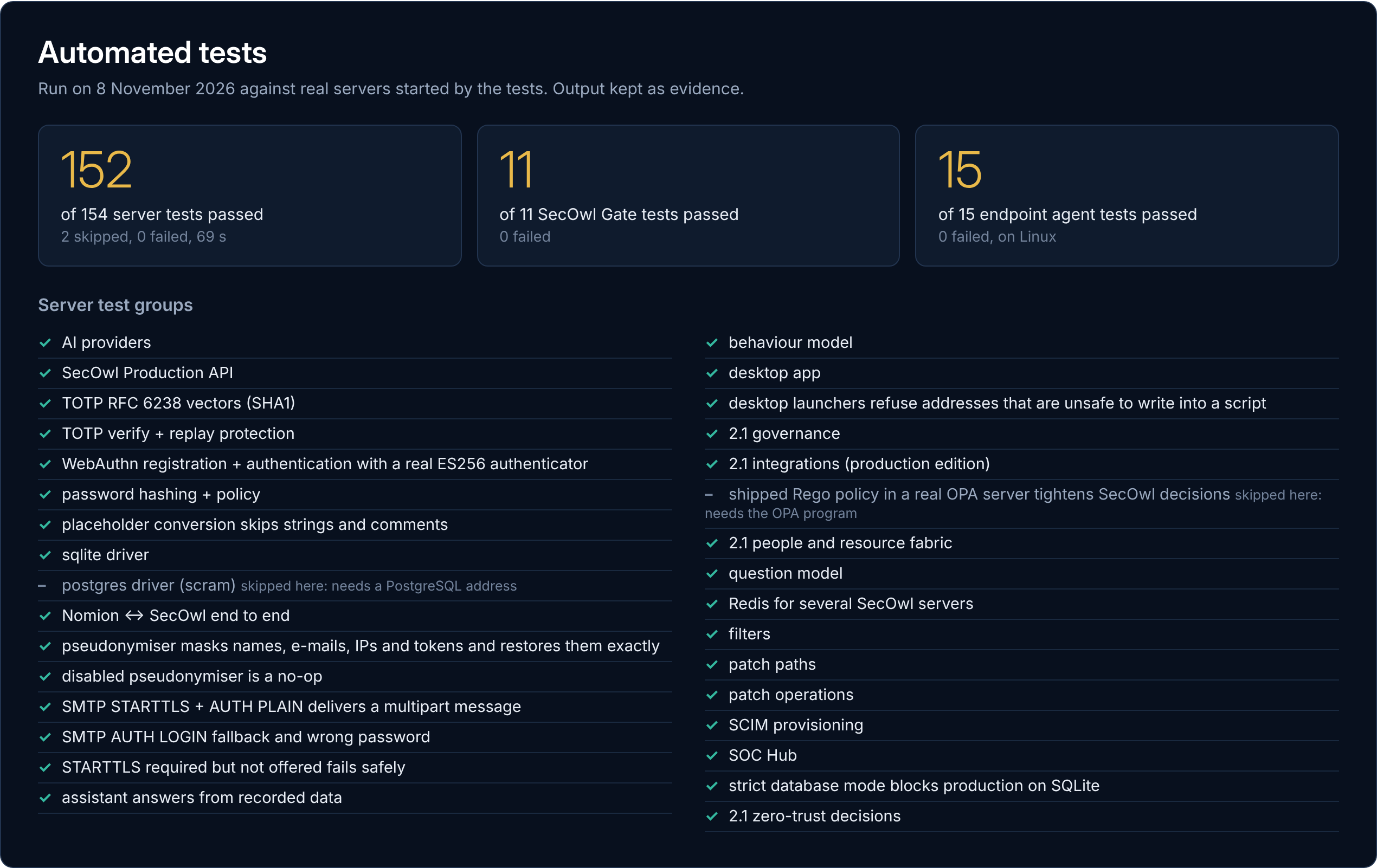
Automated test results: 152 of 154 server tests, 11 of 11 gate tests and 15 of 15 agent tests passed, with the list of test groups (demo data)Demo data
Automated tests Server 152 of 154 passed (2 skipped for tools not installed), SecOwl Gate 11 of 11, endpoint agent 15 of 15, run on 8 November 2026.View full size ↗
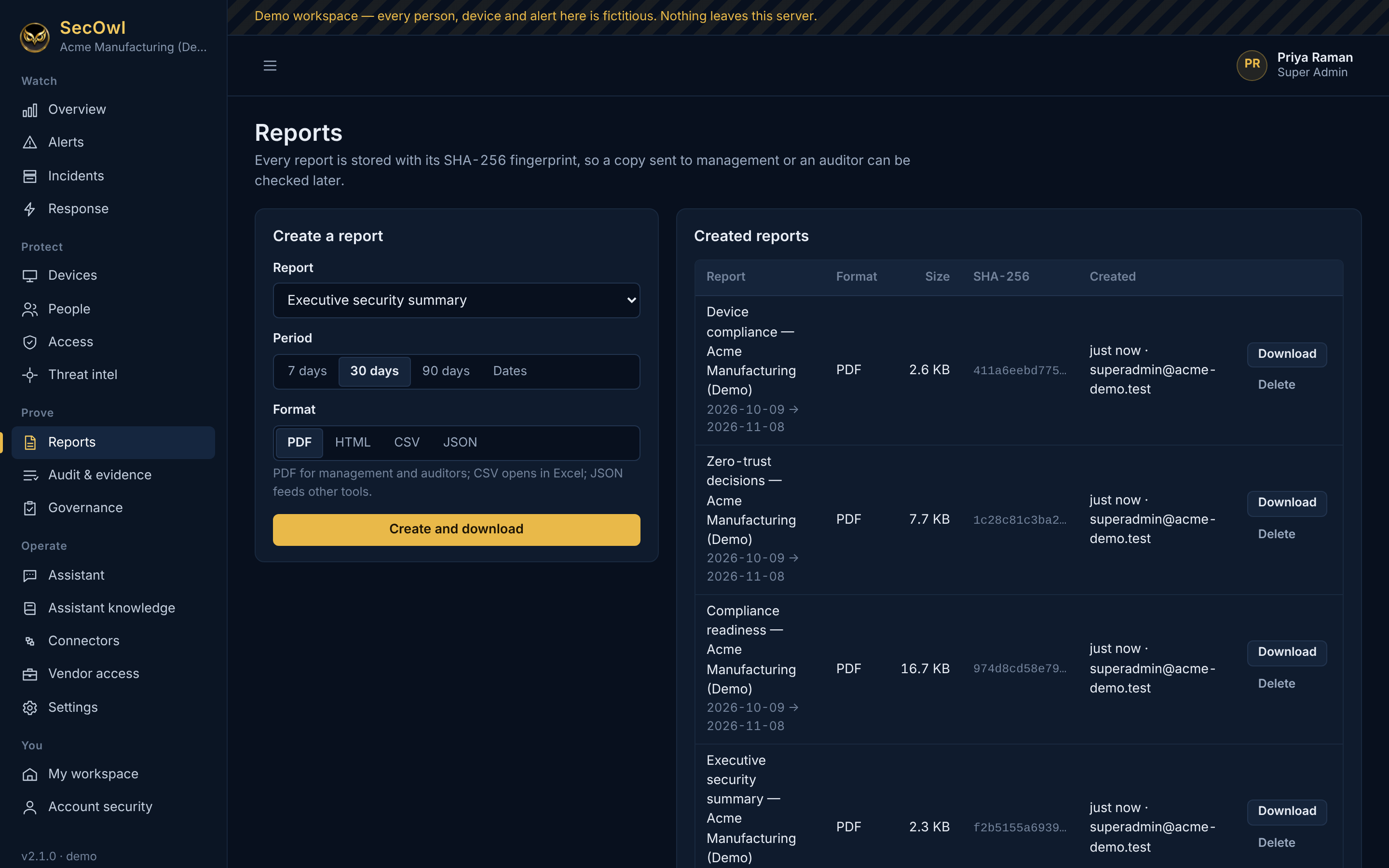
Reports page with generated PDF reports and their SHA-256 fingerprints (demo data)Demo data
Reports with fingerprints Every report is stored with its SHA-256 fingerprint so a copy can be checked later.View full size ↗
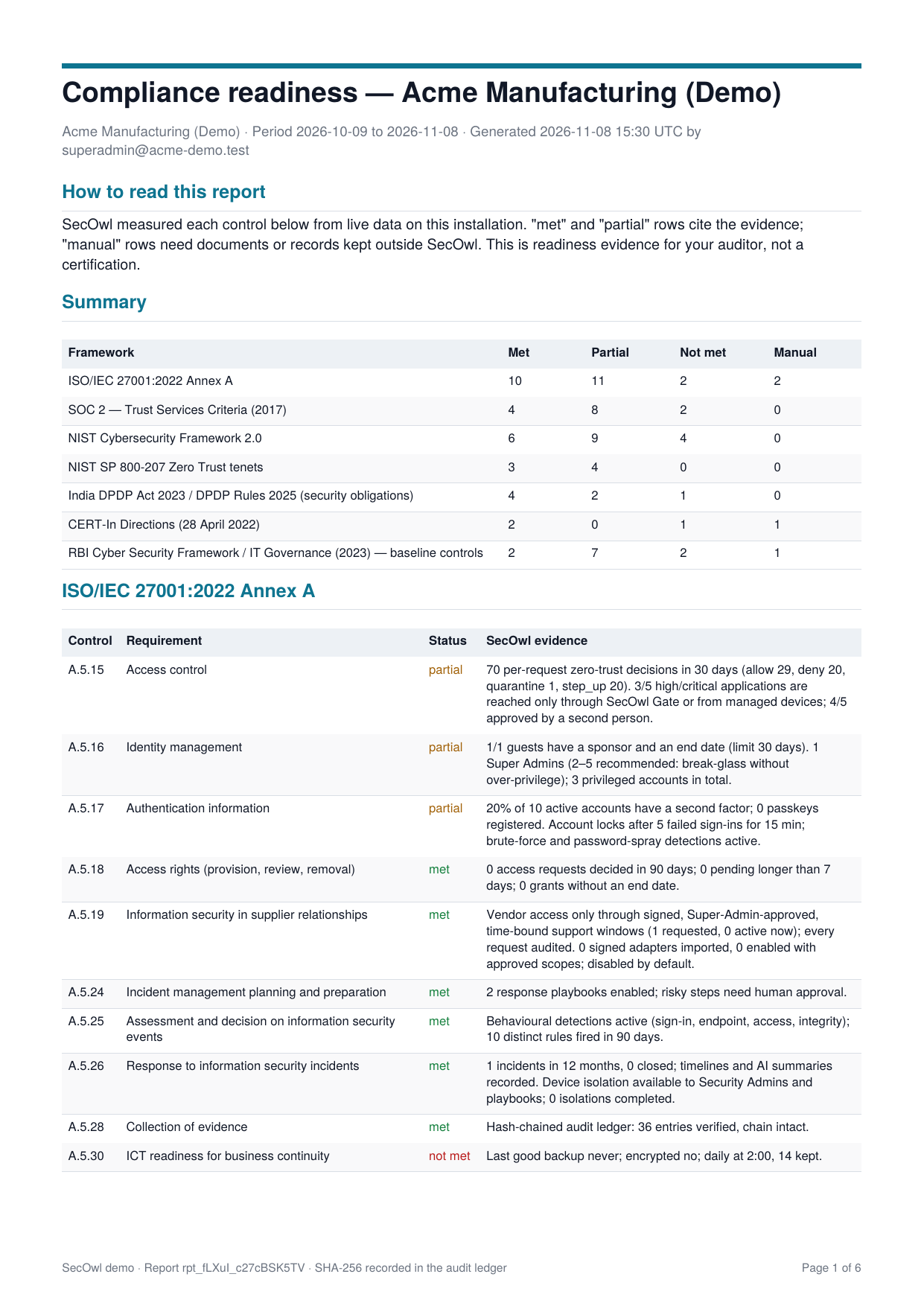
First page of a compliance readiness PDF report (demo data)Demo data
Compliance readiness report (PDF) First page of the PDF SecOwl generates for auditors.View full size ↗
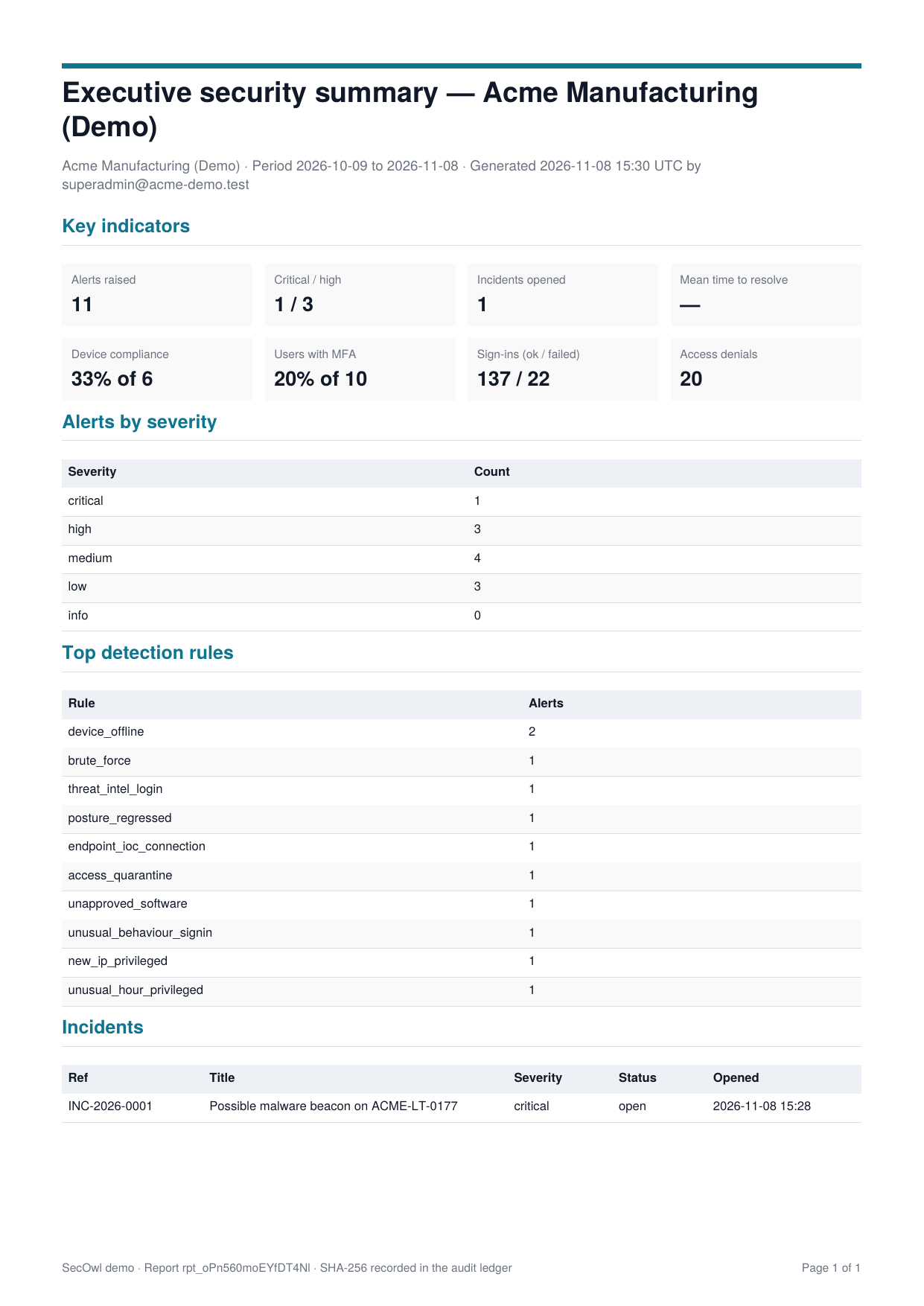
First page of an executive security summary PDF report (demo data)Demo data
Executive security summary (PDF) Key indicators, alerts by severity, top detections and incidents.View full size ↗
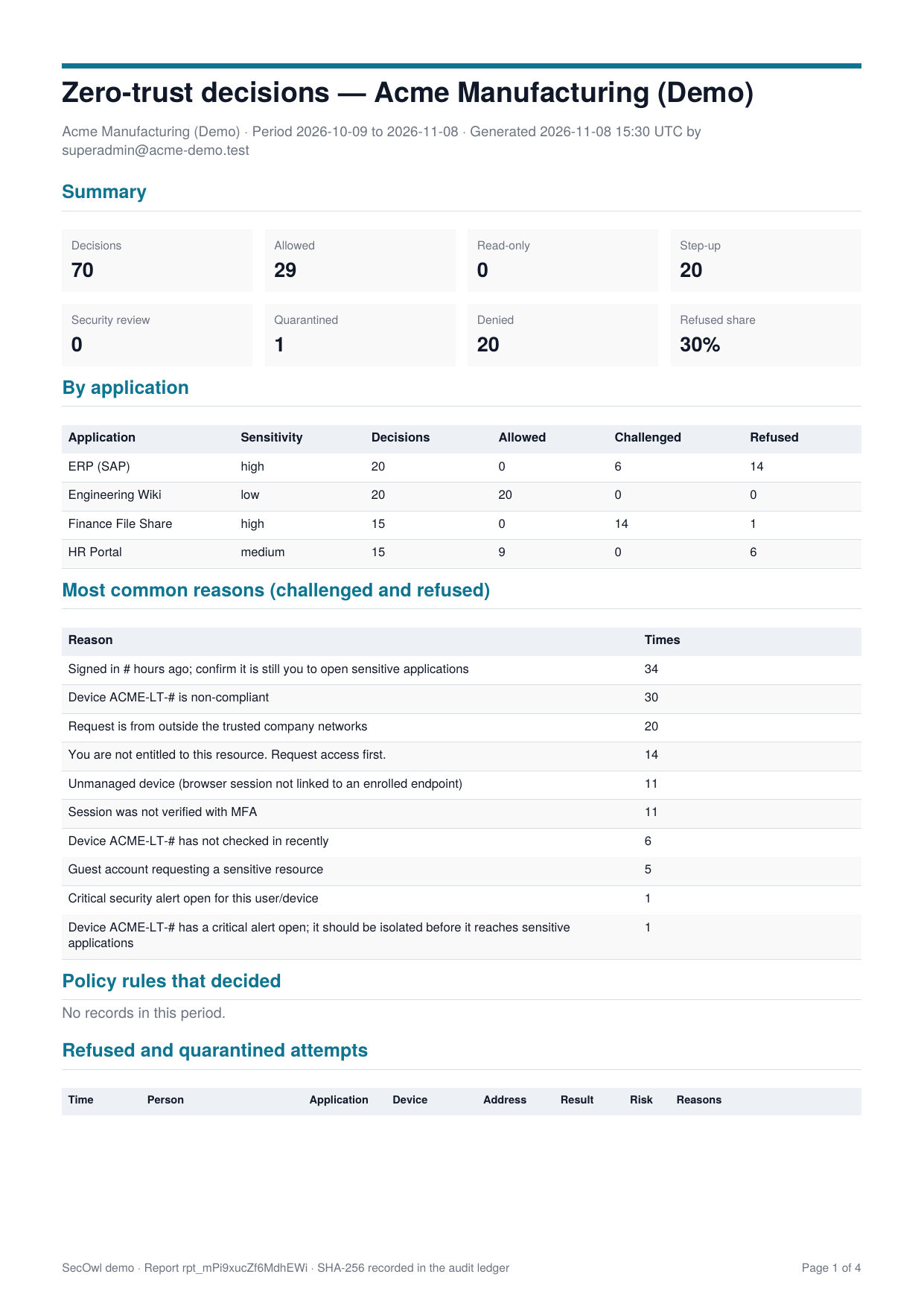
First page of a zero-trust decisions PDF report (demo data)Demo data
Zero-trust decisions report (PDF) Decisions by application and the most common reasons for challenges and refusals.View full size ↗
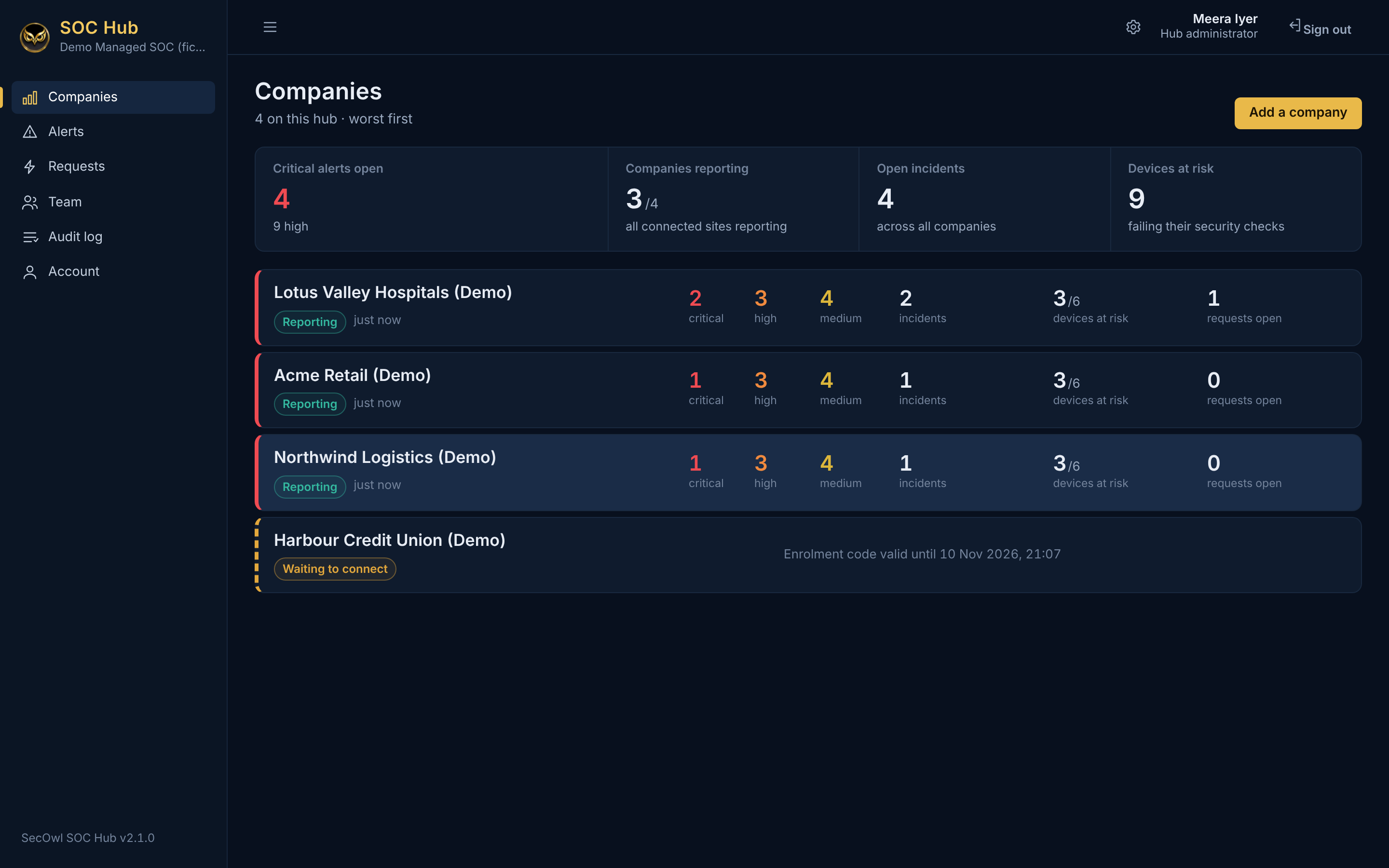
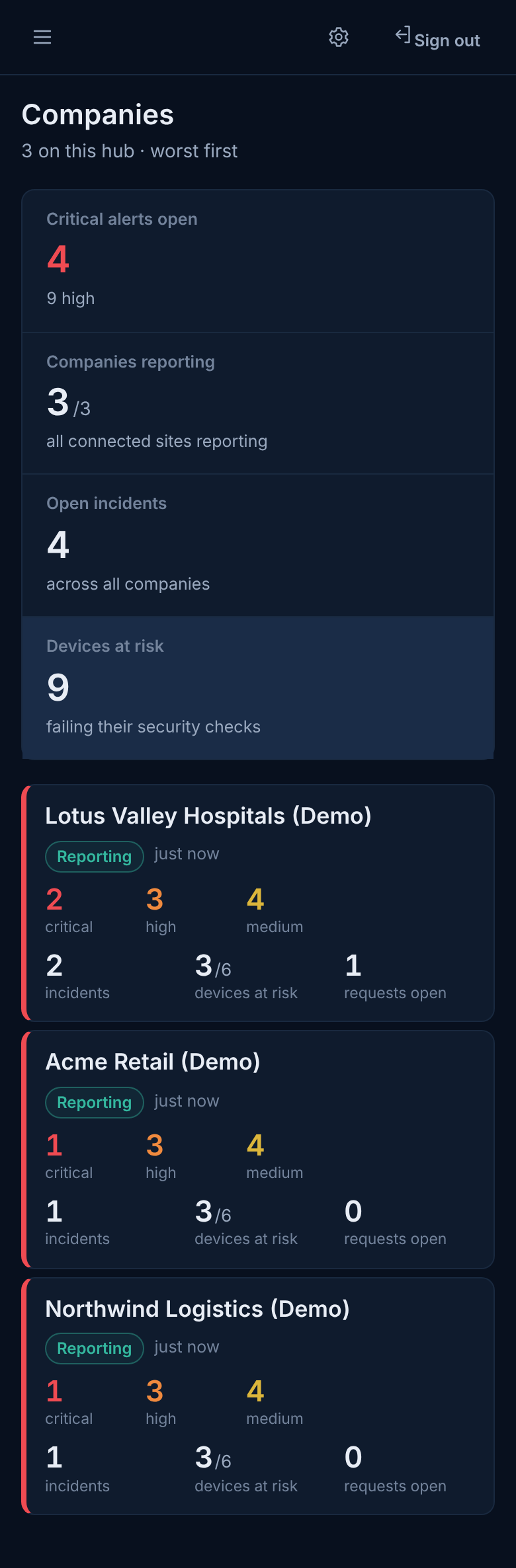
SOC Hub companies wall with three reporting companies and one waiting to connect (demo data)Demo data
SOC Hub: every company on one wall A security operations team sees all connected companies, worst first.View full size ↗
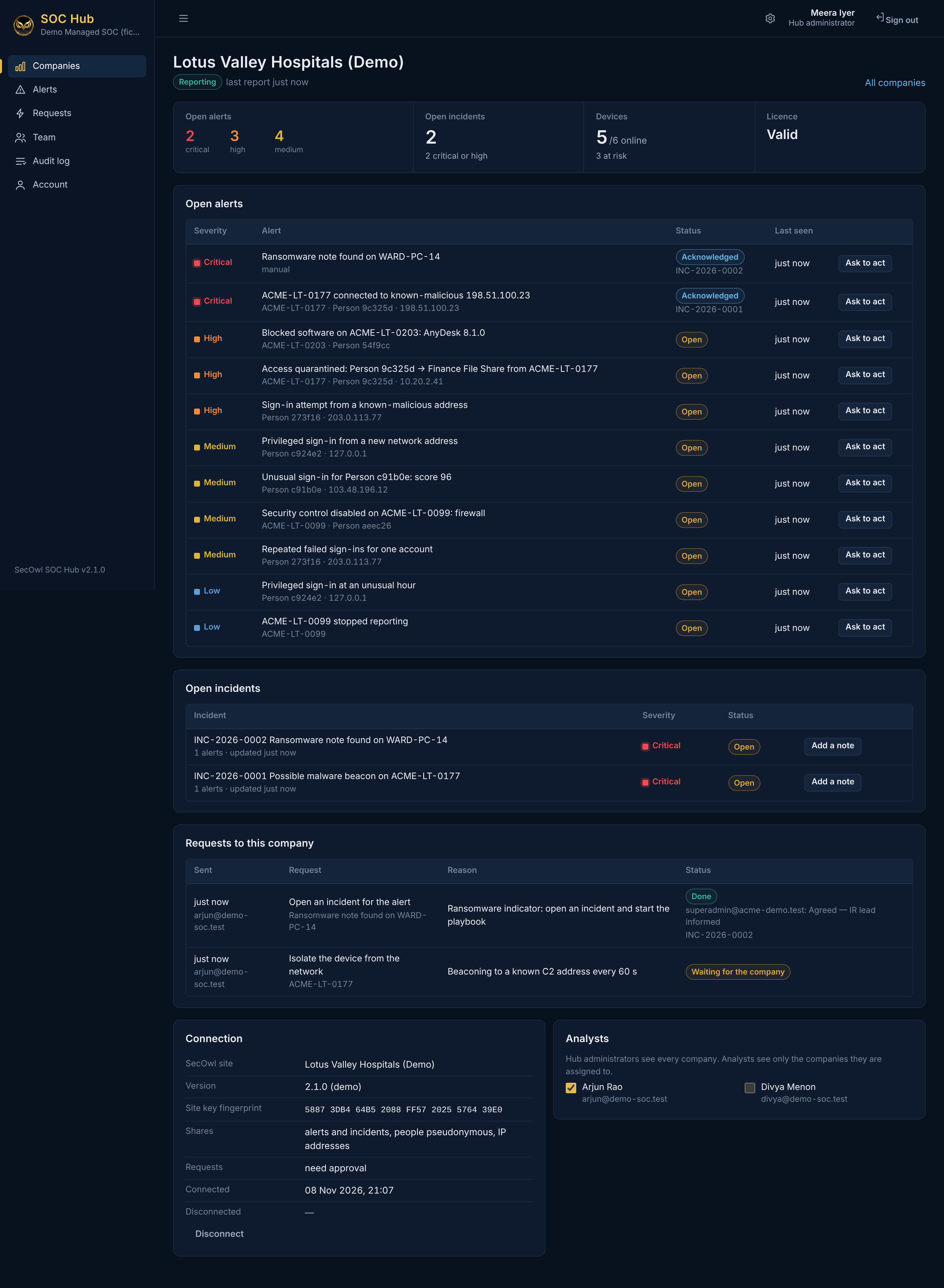
SOC Hub company page with open alerts, incidents, requests and connection details (demo data)Demo data
One company in the hub People appear as pseudonyms; every alert can be acted on through a request the company approves.View full size ↗
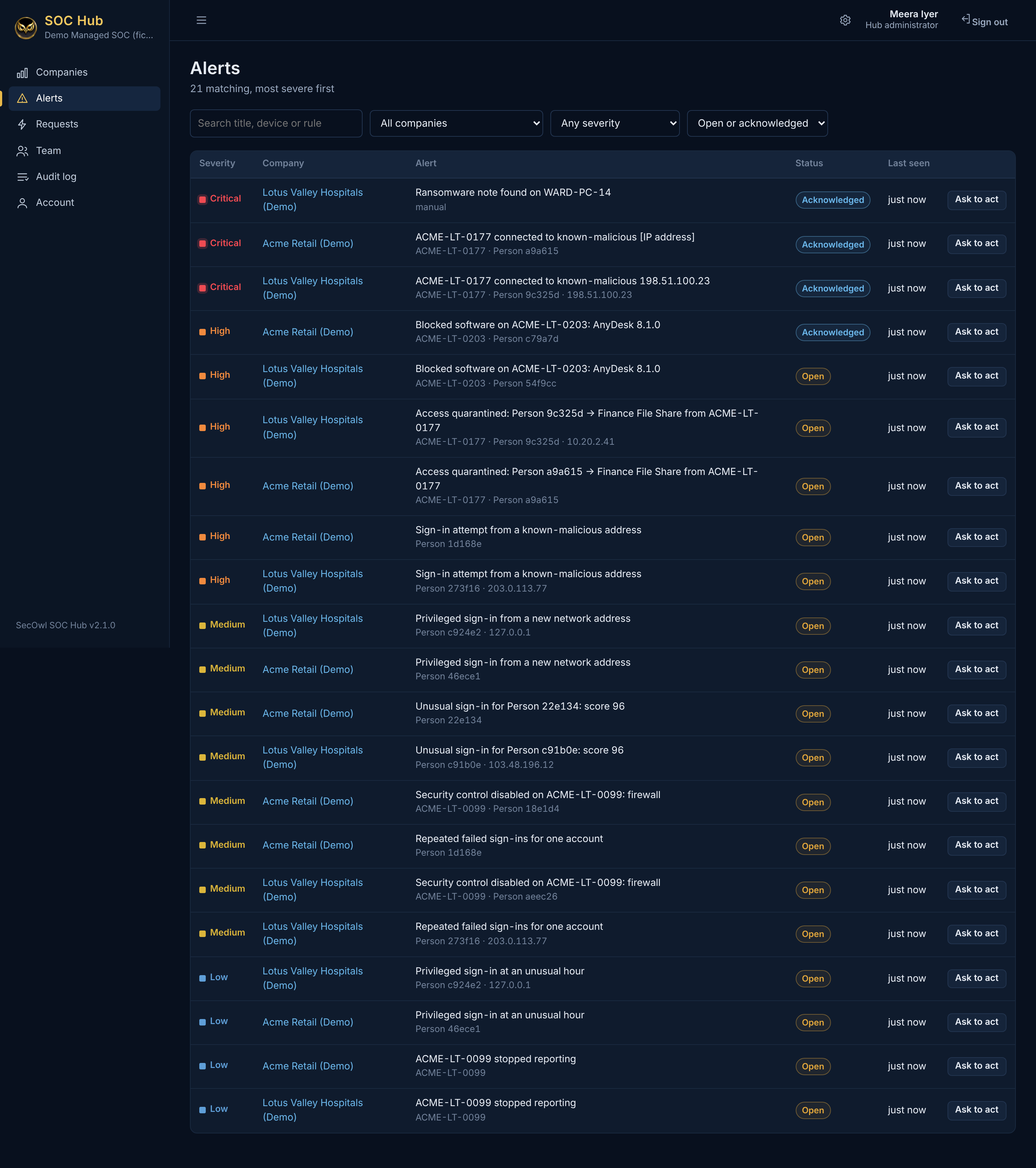
SOC Hub alert list across several companies (demo data)Demo data
Alerts across companies All shared alerts from every company in one list.View full size ↗
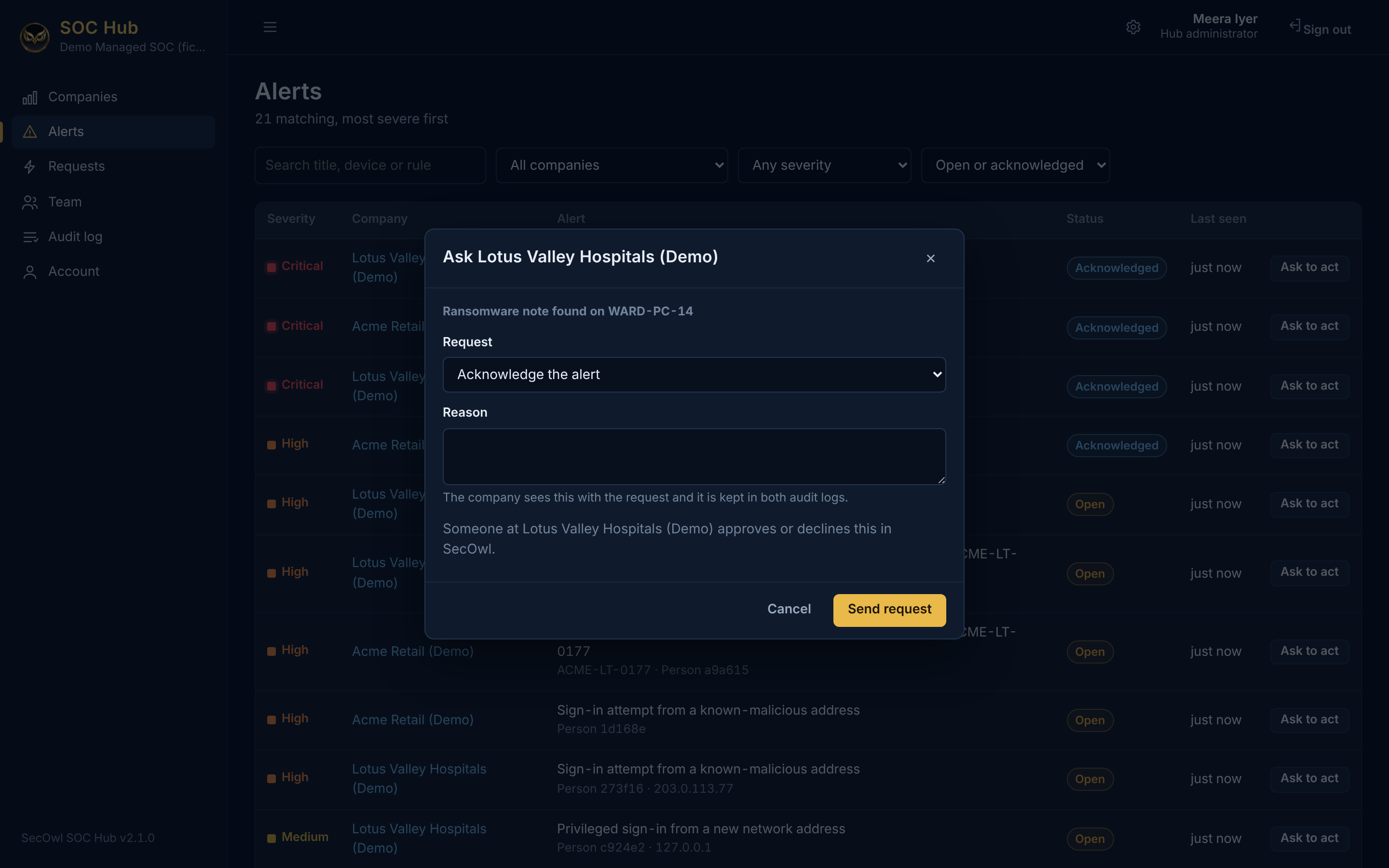
Dialog for sending an acknowledge request to a company, with a required reason (demo data)Demo data
Ask a company to act The analyst picks a request and must give a reason; the company decides.View full size ↗
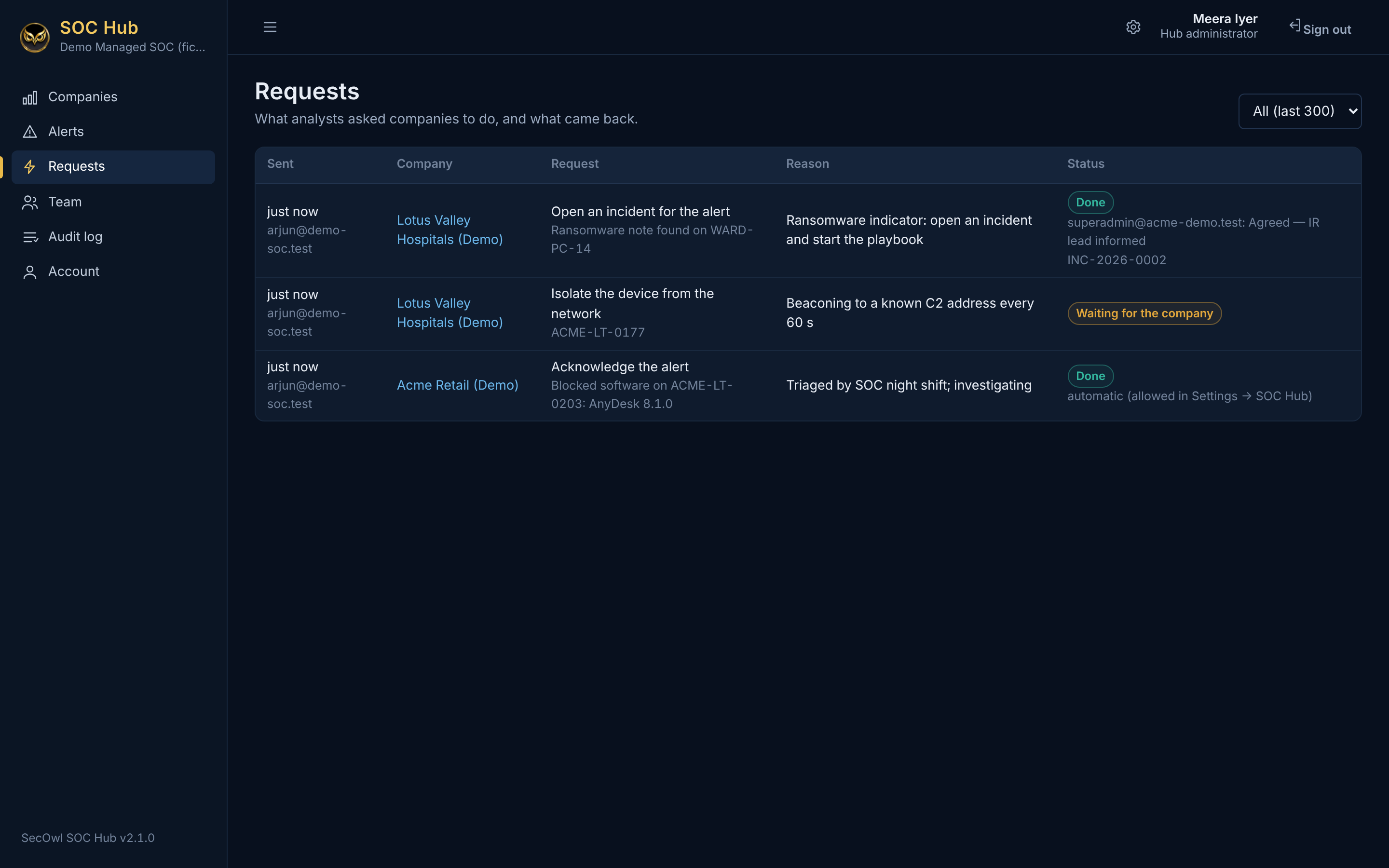
SOC Hub requests list with done and waiting statuses (demo data)Demo data
Requests and their outcome What analysts asked companies to do, and what came back.View full size ↗
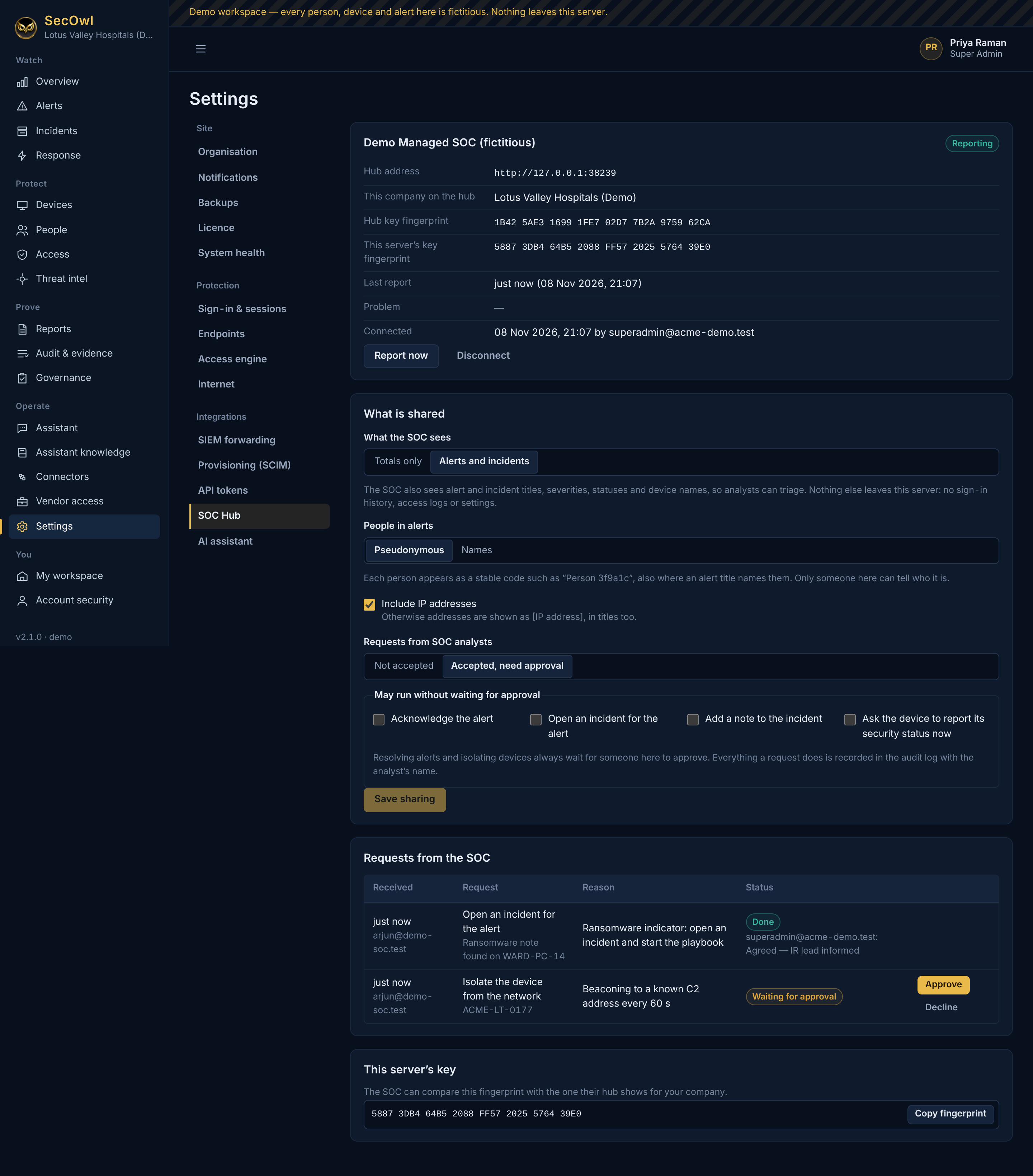
SecOwl Settings SOC Hub page with sharing choices and requests from the SOC waiting for approval (demo data)Demo data
The company stays in control In the company's SecOwl: what is shared, and requests from the SOC waiting for approval.View full size ↗
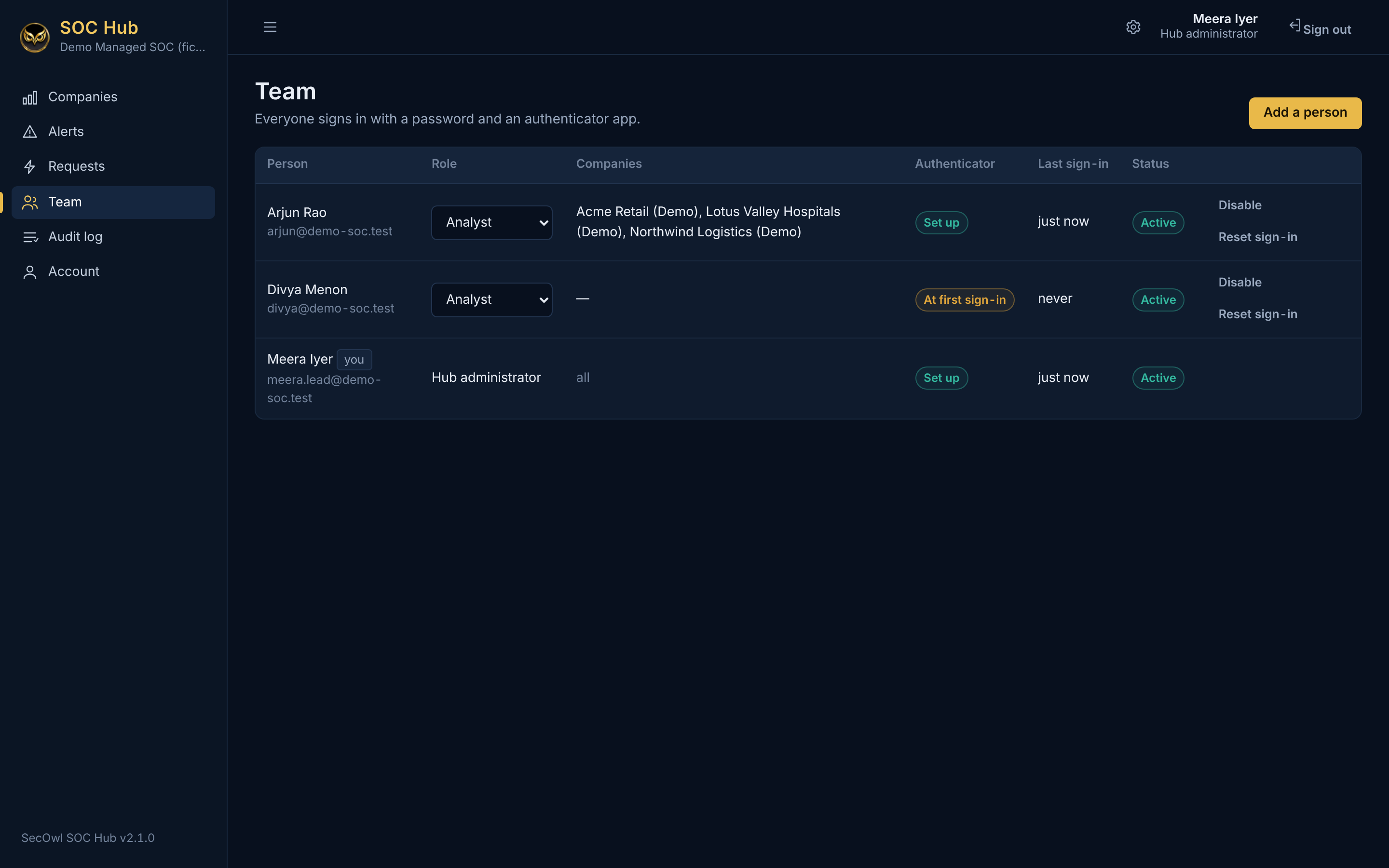
SOC Hub team page with analysts and their companies (demo data)Demo data
Hub team Analysts are limited to their assigned companies; everyone uses an authenticator app.View full size ↗
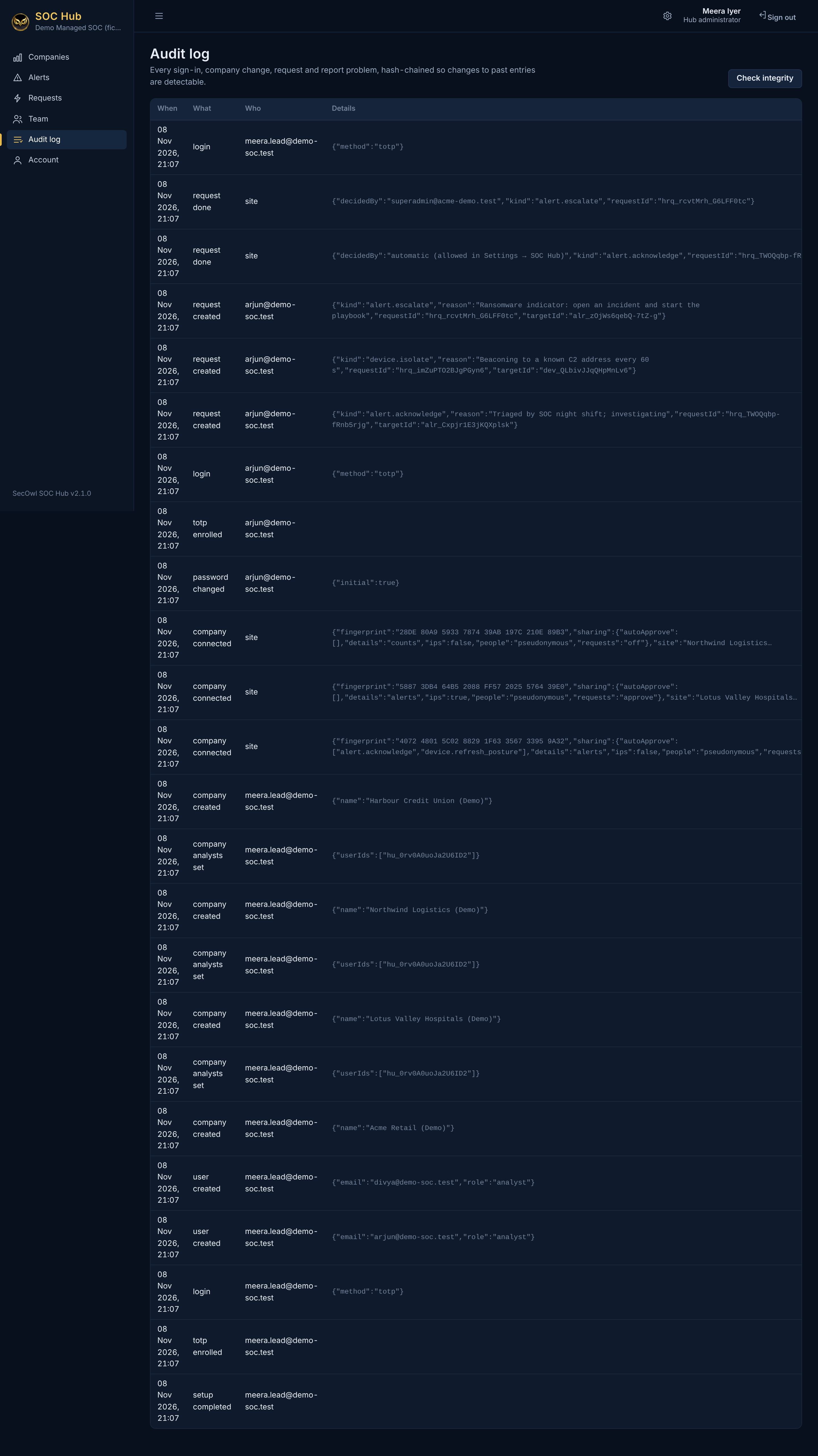
SOC Hub audit log (demo data)Demo data
Hub audit log The hub keeps its own hash-chained audit log.View full size ↗
SecOwl overview dashboard in the light theme (demo data)Demo data
Overview (light theme) The same console in the light theme.View full size ↗
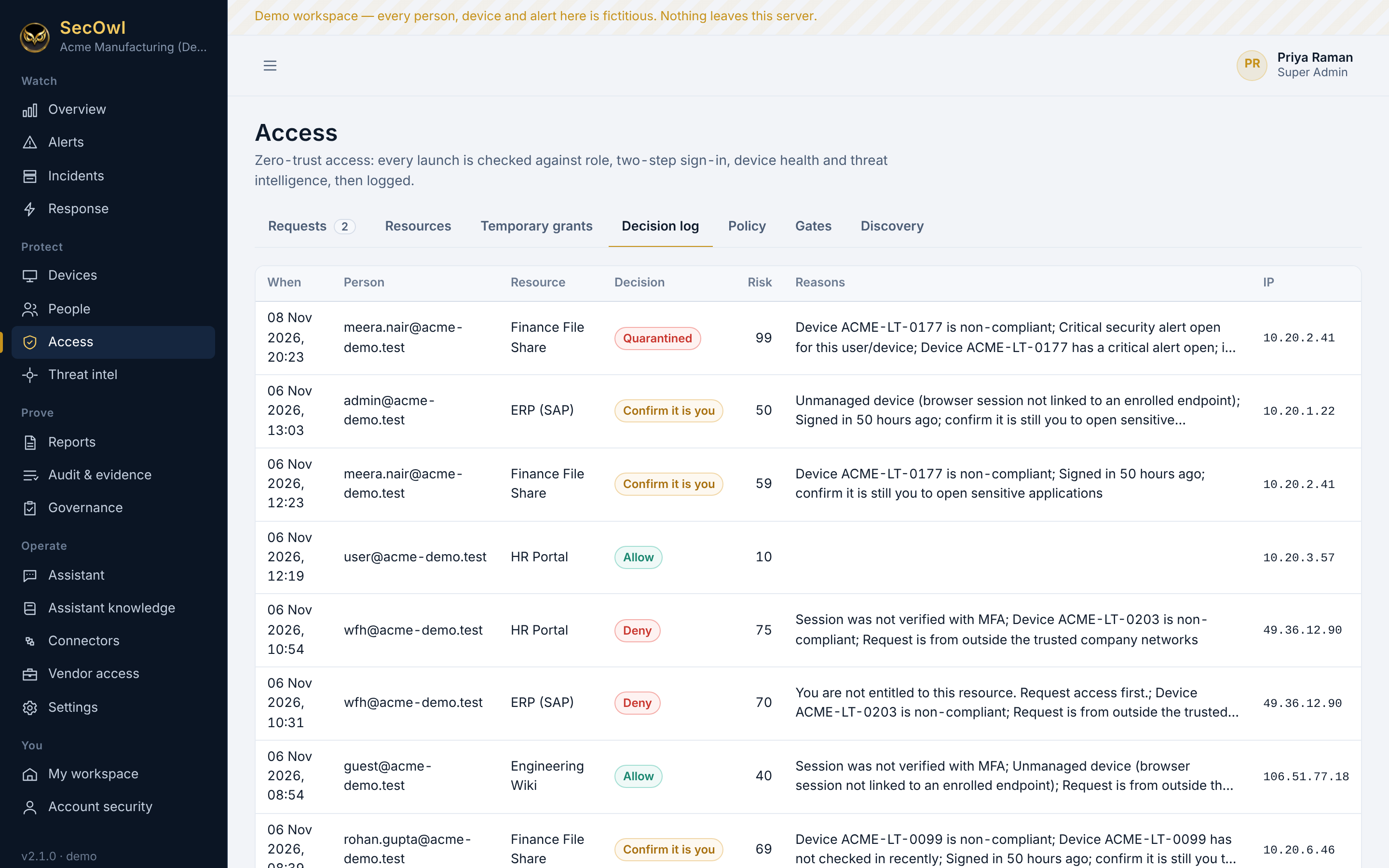
Access decision log in the light theme (demo data)Demo data
Decision log (light theme)View full size ↗
Device list in the light theme (demo data)Demo data
Devices (light theme)View full size ↗
Go-live acceptance gates in the light theme (demo data)Demo data
Go-live acceptance (light theme)View full size ↗
SecOwl overview on a phone (demo data)Demo data
Overview on a phone The console works on a phone browser.View full size ↗
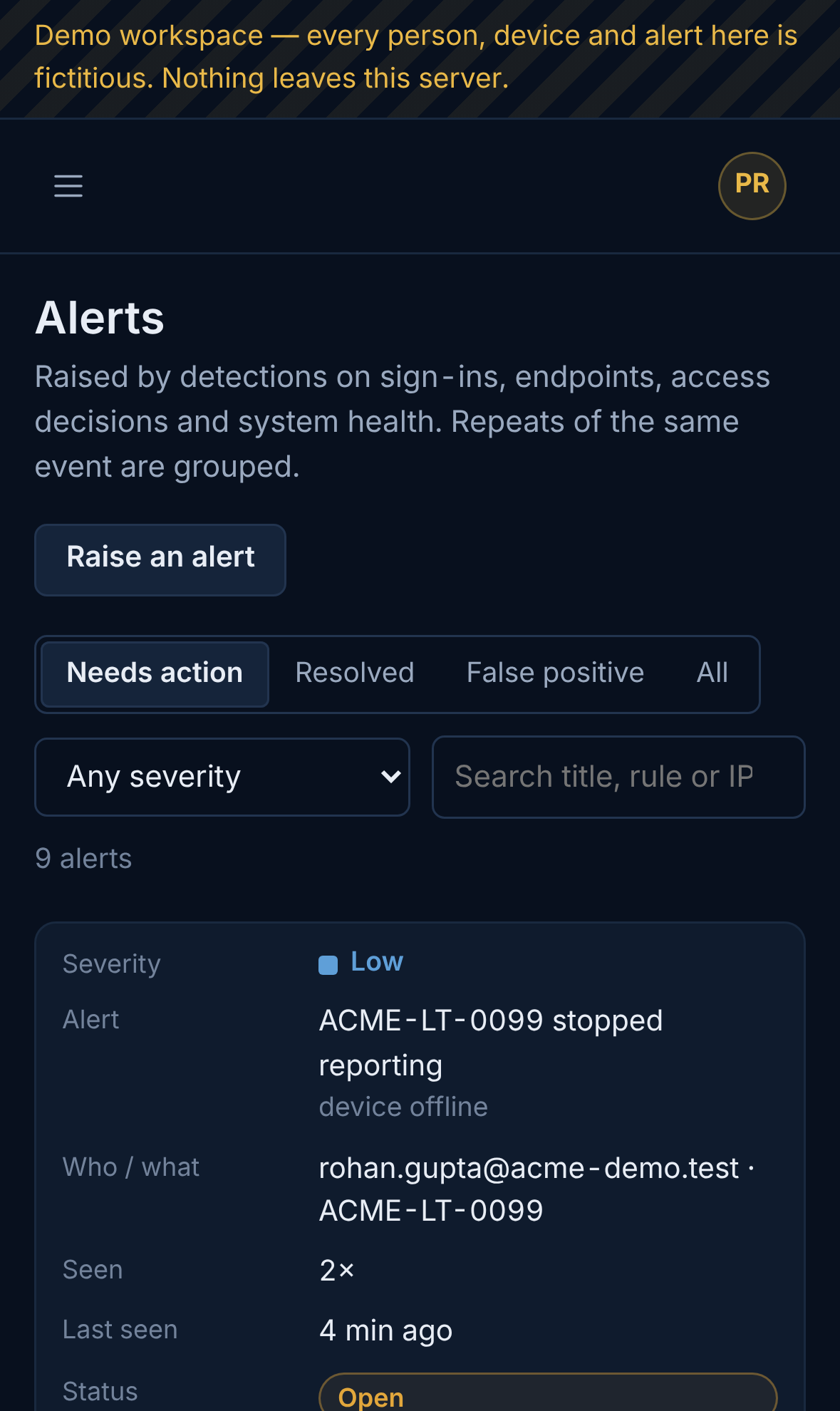
Alert list on a phone (demo data)Demo data
Alerts on a phoneView full size ↗
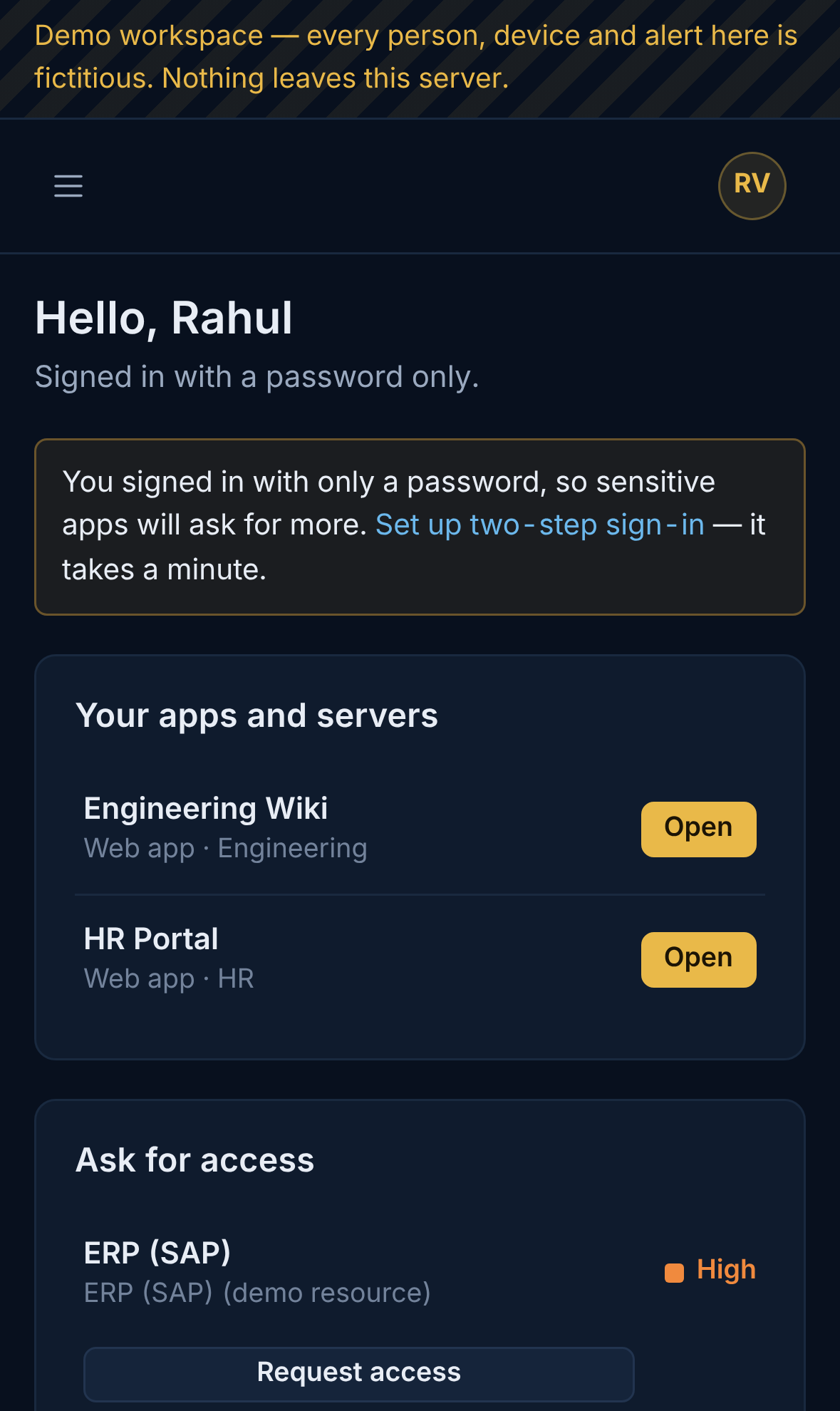
Employee workspace on a phone (demo data)Demo data
My workspace on a phoneView full size ↗
SOC Hub companies on a phone (demo data)Demo data
SOC Hub on a phoneView full size ↗

Evidence you can check

Signed evidence and test results.

SecOwl records every change in a SHA-256 hash-chained audit ledger and signs evidence bundles with the installation's Ed25519 key. An auditor can check a bundle offline with a free verifier. The files used for these screens are published so you can run the check yourself.

152 of 154server tests passed; 2 skipped because PostgreSQL and the OPA program were not installed for this runFull test output
11 of 11SecOwl Gate tests passedFull test output
15 of 15endpoint agent tests passed on LinuxFull test output
8 Nov 2026date of the test run and screen capturesSee the raw output

Core responsibility

What this product is built to handle.

central visibility, decision support, evidence, governed command and adapter health

  • Unified cyber dashboard
  • Adapter registry and health
  • Cross-product event timeline
  • Policy command and approval routing
  • Evidence, posture and executive reporting

Deployment and control model

Roles: Super Admin, Admin, Security Admin/SOC Analyst, Auditor, Vendor Support with client approval

Authentication: Local admin authentication with MFA; optional Eidon SSO; signed service authentication for adapters.

Linked with: Optional signed adapters to every Cybstyx Phylaxis application; optional Eidon identity claims and Nomion entitlement validation.

Boundary: SecOwl gives command visibility and governed action, but standalone products must continue local operation without SecOwl dependency.

Cybstyx model

Standalone product, optional ecosystem connection

The product should be strong alone first. Integration improves visibility and coordination, but it must not become an uncontrolled dependency.

Local operation

Client-controlled runtime

The product retains its own local configuration, audit trail, licence state and operational workflow.

SecOwl visibility

Command-center option

SecOwl can receive approved events and show posture or evidence if the client enables the adapter.

Peer-product use

Bounded integration

Products may connect to identity, evidence, licence, secrets or timeline services when policy allows.

Audit safety

Every action has context

Administrative changes, service events and proof exports should remain auditable.